Provisioning is configuration delivery
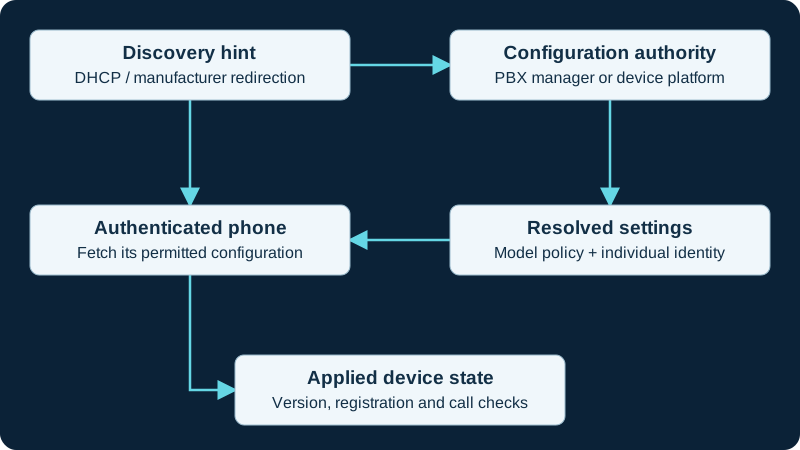
Provisioning supplies a phone with settings such as its SIP identity, server addresses, line keys, network policy and update location. Manual entry can be appropriate for a small test. Automatic delivery makes a larger estate repeatable, provided the correct device receives the correct configuration. Separate discovery of a provisioning server from authentication to it, and separate downloading a file from successfully applying its settings. A phone can fetch a configuration and still fail registration because its credentials, clock or SIP transport are wrong.
Choose one source of authority
Define which system owns device settings: a PBX endpoint manager, a manufacturer platform or your own provisioning service. Document any allowed local overrides. Competing managers can repeatedly reverse each other's changes, creating intermittent-looking faults with no network failure. Start with templates and ownership, then decide between DHCP discovery, explicit HTTPS provisioning and a manufacturer redirection service. Use the exact-model records in the phone directory to find supported deployment resources.
Pilot before broad enrollment
Use a spare device matching the target hardware and firmware. Verify discovery, certificate validation, configuration application, registration, calling and a second provisioning cycle. Confirm an unauthorized device cannot obtain another user's credentials. Record the template revision and the device's resulting state. Then expand in small groups with a recovery path for devices that lose access. A successful mass-download report is useful evidence of delivery, but the acceptance criterion is the intended phone behavior after configuration and reboot.
Treat Cloud Softphone as merged application provisioning
The Acrobits Cloud Softphone guide follows base portal data, graphics, optional global provisioning and account-specific external provisioning into one effective app state. Use the paired diagnostic to distinguish Live versus Editable selection, merge precedence and refresh timing from SIP or push failure.
Use FreePBX Endpoint Manager as an owned pipeline
For managed FreePBX phones, the Endpoint Manager guide separates device mapping, template data, generated configuration, discovery and the phone's effective state. DPMA, manual URLs, Option 66 and redirection services are different paths, not interchangeable evidence.
Treat Linphone as application configuration, not a desk-phone fetch
For Linphone, the remote-provisioning diagnostic checks restart-time XML retrieval, supported keys, overwrite attributes and transient application. Do not transfer DHCP, MAC-template or firmware assumptions from a desk phone to this app workflow.
Verify the effective SessionTalk push mode after provisioning
Provider-provisioned accounts can control push centrally. The SessionTalk diagnostic records the source revision, effective account mode, push-server FQDN and PBX behavior before a local setting is treated as authoritative.
Keep SRAPS visibility separate from loaded settings
The D810W guide separates device claim, redirection, server reachability, authenticated download, accepted profile, applied settings and post-reboot state.
Provision the 6940w line control as well as the SIP identity
The 6940w diagnostic checks effective Mobile/PC Line control before destructive pairing changes.
Provision the exact door station without erasing physical ownership
The GDS3712 reference records firmware, management owner, power and door wiring beside its configuration. A downloaded profile is not proof that the intended relay, input, SIP destination or video mode became effective.
Treat a PhonerLite PLP file as credential delivery
A PLP can carry a plaintext password or reusable encrypted value into sipper.ini. The PhonerLite diagnostic proves the destination and active profile before any re-import.
Keep Linphone local state and remote XML separate
Linphone remote configuration can overwrite proxy and authentication entries at the next start. The local-data diagnostic traces the fetched XML, effective file, runtime value and account independently.
Preserve 8450 button mappings through provisioning
The Algo 8450 reference records screen, Identifier, destination, zone, file and protection before or after a managed change.
Model Linphone merge rules and precedence explicitly
The Linphone remote-provisioning guide documents next-start retrieval, managed-source priority, per-entry overwrite and one-time application without treating a QR scan as enrollment proof.
Track GXW4200 v2 intended and effective state
The GXW4200 v2 family guide distinguishes template, fetch, apply, reboot and per-port result.
Follow one GRP phone from authority to effective state
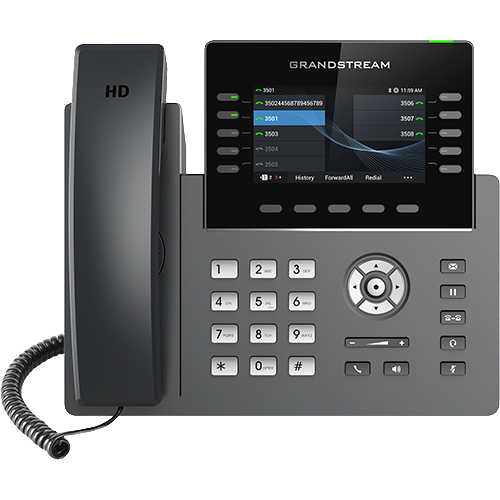
The GRP2613/GRP2615 diagnostic records discovery, template selection, fetch, apply, reboot, effective values, registration and call acceptance independently.
Trace one Edge E phone from owner to effective state
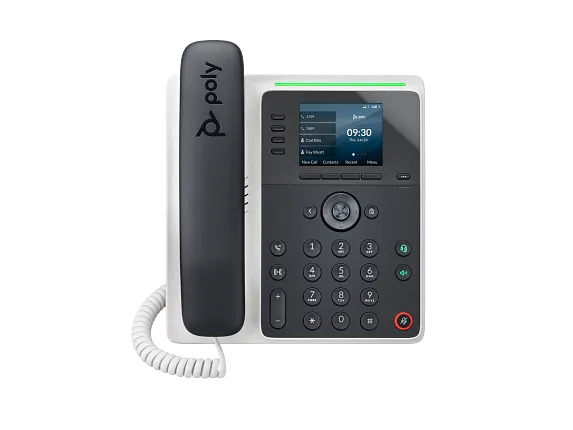
The E100/E220 diagnostic records assignment, requested file, matched model, apply event, effective keys, registration and calls independently.
Trace HT81x V2 provisioning through effective port state
The HT812/HT814 V2 diagnostic separates request, response, apply, reboot, effective profile and registration.
Trace Grandstream V2 model variables through apply
The HT802/HT818 V2 workflow records owner, requested file, matched model, response, reboot and effective state.
Verify HT8x1 activation after provisioning
The HT841/HT881 diagnostic preserves profile and per-port activation before treating a fetch or restart as success.
Identify which HT813 configuration file won
The HT813 diagnostic checks device-specific, model-specific and global provisioning before changing an effective value.
Bind Cisco 9800 provisioning to exact model, VID and platform
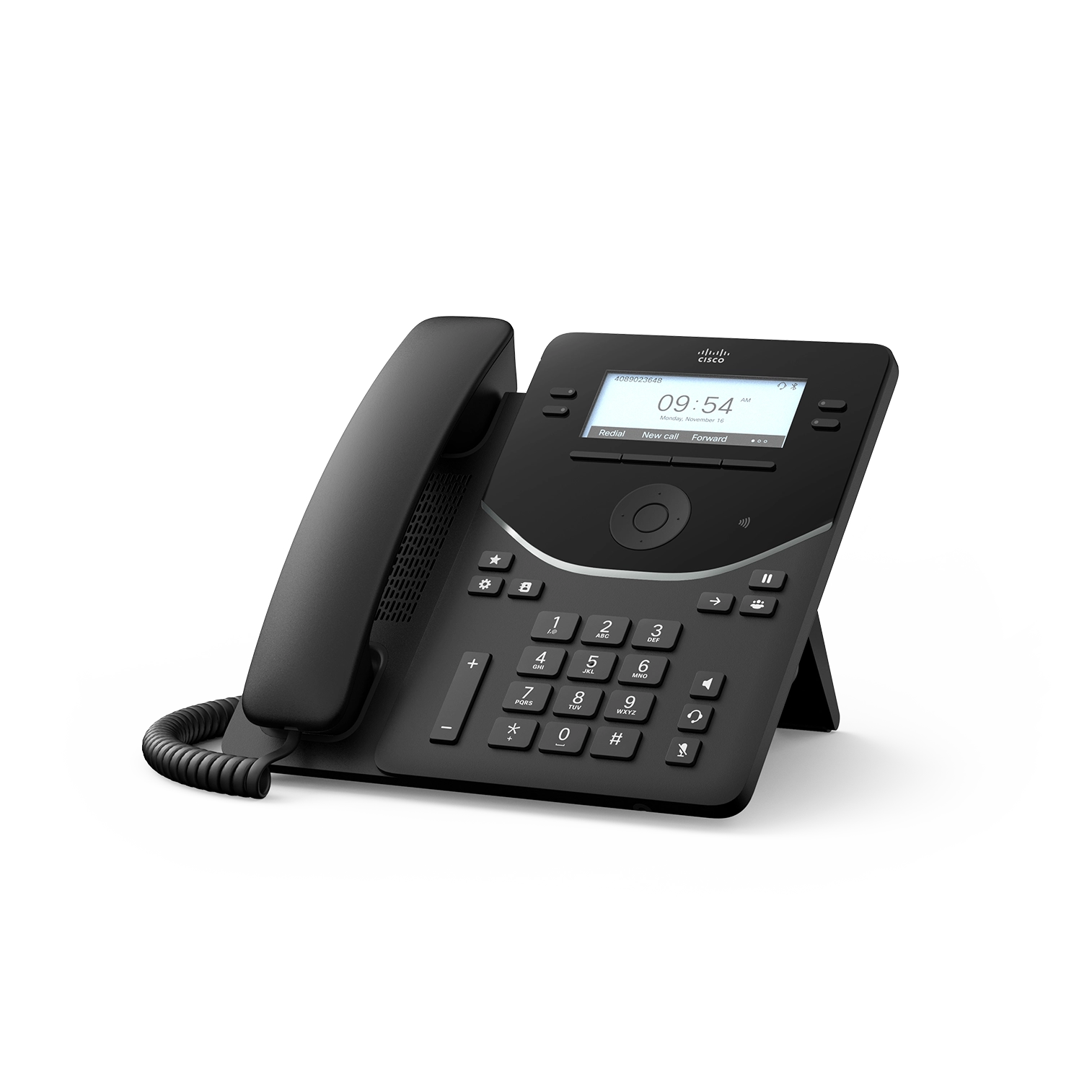
Use the Cisco 9800 diagnostic to reconcile device type, hardware VID, platform, package or QED, loaded layout and registered state.
Bind Poly Edge E provisioning to exact model and effective key pages
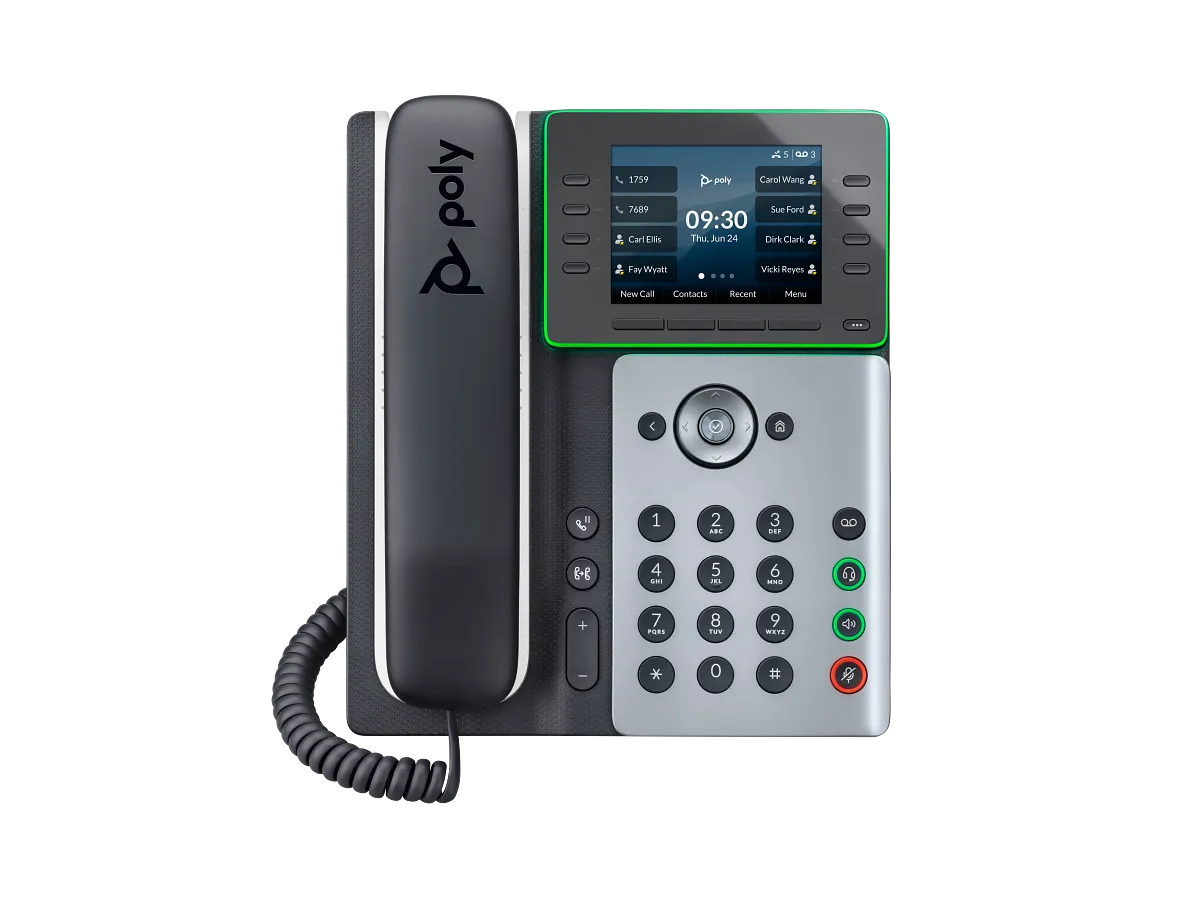
The E300–E450 diagnostic traces configuration owner, request, response, apply event, effective keys, module, registration and calls.
Bind Edge E350/E500/E550 provisioning to effective pages and modules
The focused diagnostic traces model, configuration owner, request, apply event, host pages, modules, registration and calls.
Bind Trio C60 provisioning to the effective base profile
The focused workflow separates requested files, apply event, profile, call application, identity, calendar and audio state.
Provision each Rove component and effective role
Preserve requested configuration, primary base, multicell membership, handset assignment, subscription profile, SIP registration and effective state before declaring the Rove system provisioned.
Provision time source, zone and daylight rules separately
The NTP guide keeps UTC synchronization, DHCP overrides, server selection, displayed local time and scheduled endpoint behavior separately observable.
Treat Linphone XML and URI provisioning as configuration owners
The Linphone guide follows URL selection, retrieval, XML, overwrite attributes, next-start timing and effective values without treating a QR code or URI as completed enrollment.
Preserve Wave QR and managed identity ownership
The Grandstream Wave diagnostic records QR issue, UCM account mapping, session creation and revocation without exposing credential-bearing material.
Track Wireless Phone 9821 intended and effective state
The Wireless Phone 9821 guide distinguishes platform ownership, downloaded configuration, applied WLAN profiles and effective PhoneOS behavior.
Provision the VP59 by exact edition
The VP59 diagnostic keeps Open SIP, Teams and Zoom source, download, applied and effective state separate.
Bind GAC2570 provisioning to effective runtime state
The focused workflow separates the downloaded configuration, applied values, application owner, SIP or GVC identity, interfaces and installed firmware.
Watch the explanation
Maps an extension’s credentials to a phone account, then adds voicemail access and busy-lamp keys. Changing the default phone administration password is part of the walkthrough.
Read applicability and editorial notes →Watch this video here
FreePBX 15 and Yealink T58A in 2021. Use current firmware documentation for your exact model. Review used the available transcript and primary references; audio and screen readability remain unverified.

The player loads only when you choose Watch here. Playback uses YouTube’s privacy-enhanced embed; YouTube processes playback data.
Follow the stand, network cable and handset assembly before the phone retrieves its service settings. The narration starts with a phone already prepared by Accelerate Networks, making this a useful orientation for a new desk user receiving a managed handset.
Read applicability and editorial notes →Watch this video here
GRP2615 hardware with Accelerate Networks provisioning. The account and park-key configuration are supplied by the service; a retail phone needs additional setup. Review used the available transcript and primary references; audio and screen readability remain unverified.

The player loads only when you choose Watch here. Playback uses YouTube’s privacy-enhanced embed; YouTube processes playback data.
Sources & applicability
Primary references for the technical details above. Operational examples and planning checklists are VoIP.info editorial guidance.
- Grandstream: SIP provisioning ↗
- Acrobits Cloud Softphone provisioning introduction ↗
- Acrobits provisioning input parameters and Live/Editable versions ↗
- Acrobits external provisioning workflow ↗
- Acrobits Cloud Softphone Account XML reference ↗
- Acrobits Cloud Softphone command URIs ↗
- Acrobits SIP Instance Server architecture ↗
- Acrobits published-app configuration changes ↗
- Acrobits external-provisioning domain boundary ↗
- Sangoma Endpoint Manager ↗
- Sangoma Endpoint Manager admin guide ↗
- Sangoma EPM and DPMA for D and P phones ↗
- Sangoma Endpoint Manager custom firmware ↗
- Sangoma Option 66 precedence after EPM provisioning ↗
- FreePBX Endpoint module password advisory ↗
- Linphone remote provisioning ↗
- Linphone QR-code and provisioning-link login ↗
- Linphone third-party SIP account login ↗
- SessionTalk push notifications overview ↗
- SessionTalk push registration modes ↗
- SessionTalk multiple-registrations push mode ↗
- SessionTalk synchronous push registration ↗
- SessionTalk single-register push mode ↗
- SessionTalk incoming push-call sequence ↗
- SessionTalk incoming push-call troubleshooting ↗
- SessionCloud SIP and push settings ↗
- Snom D810W product page ↗
- Snom D8xx desk-phone family ↗
- Snom SRAPS secure redirection and provisioning service ↗
- Snom Security Center ↗
- Snom product security lifecycle ↗
- Snom TLS support reference ↗
- Mitel 6900 SIP Phones document center ↗
- Mitel 6900 IP Phone Series product page ↗
- Mitel 6940 and 6940w SIP phone user guide, release 6.4 SP3 ↗
- Mitel 6800, 6900 and 6900w SIP phones administrator guide, release 6.4 ↗
- Mitel 6900 accessories document center ↗
- Mitel 6940w SIP phone learning center for MX-ONE ↗
- Grandstream GDS3712 product page ↗
- Grandstream GDS3712 datasheet ↗
- Grandstream GDS3710/GDS3712 user manual ↗
- Grandstream GDS3712 quick installation guide ↗
- Grandstream GDS37xx and GRP26xx integration guide ↗
- Grandstream GDS37xx digital input configuration ↗
- Grandstream GDS37xx event logs guide ↗
- PhonerLite downloads and release history ↗
- PhonerLite profiles, SIP settings and configuration-file locations ↗
- PhonerLite PLP provisioning profiles ↗
- PhonerLite sound devices, active calls and recordings ↗
- PhonerLite logbook and recorded-call linkage ↗
- Linphone stable Windows application archive ↗
- Linphone Desktop application files tree ↗
- Linphone Desktop linphonerc configuration reference ↗
- Linphone troubleshooting and support-log collection ↗
- Algo 8450 IP Console product page ↗
- Algo 8450 IP Console product sheet ↗
- Algo 8450 IP Console user guide ↗
- Algo 8450 firmware selector ↗
- Algo firmware 5.6 release notes ↗
- Algo local-network redundancy article ↗
- Algo 8450 paging and alert activation article ↗
- Algo central provisioning guide ↗
- ↗
- ↗
- ↗
- ↗
- ↗
- ↗
- ↗
- ↗
- ↗
- ↗
- ↗
- ↗
- ↗
- ↗
- ↗
- ↗
- ↗
- Grandstream GRP2613(W) product page ↗
- Grandstream GRP2615 product page ↗
- Grandstream GRP2615 datasheet ↗
- Grandstream GRP261x series user guide ↗
- Grandstream GRP261x series administration guide ↗
- Grandstream GRP26xx virtual multi-purpose keys guide ↗
- Grandstream firmware directory ↗
- HP Poly Edge E Series product family ↗
- HP Poly Edge E Series Administrator Guide, PVOS 8.2.1 ↗
- HP Poly Edge E Series User Guide, PVOS 8.2.1 ↗
- HP Poly Voice Software 8.6.1 release notes ↗
- HP Poly Edge E Series flexible line key assignments ↗
- HP Poly Edge E Series PVOS 8.0.0 release notes ↗
- HP Poly Edge E Series safety and regulatory notices ↗
- HP Poly Edge E100 and E220 specification sheet ↗
- Grandstream HT812 v2 product page ↗
- Grandstream HT814 v2 product page ↗
- Grandstream HT812 v2 datasheet ↗
- Grandstream HT814 v2 datasheet ↗
- Grandstream HT81x V2 Administration Guide ↗
- Grandstream HT81x V2 User Guide ↗
- Grandstream HT8xx V2 firmware 1.0.15.3 release notes ↗
- Grandstream Firmware Upgrade Guide ↗
- Grandstream HT802 v2 product page ↗
- Grandstream HT802 V2 datasheet ↗
- Grandstream HT80x V2 Administration Guide ↗
- Grandstream HT80x V2 User Guide ↗
- Grandstream HT818 v2 product page ↗
- Grandstream HT818 V2 datasheet ↗
- Grandstream HT841 and HT881 product page ↗
- Grandstream HT841 and HT881 datasheet ↗
- Grandstream HT841 and HT881 user manual ↗
- Grandstream HT841 and HT881 user manual PDF ↗
- Grandstream HT841 and HT881 FAQ ↗
- Grandstream HT8x1 firmware 1.0.11.8 release notes ↗
- Grandstream UCM6xxx with HT841 and HT881 FXO gateway guide ↗
- Grandstream HT841 and HT881 quick installation guide ↗
- Grandstream HT813 product page ↗
- Grandstream HT813 datasheet ↗
- Grandstream HT813 user guide ↗
- Grandstream HT813 administration guide ↗
- Grandstream HT813 FAQ ↗
- Grandstream HT813 firmware 1.0.19.6 release notes ↗
- Grandstream peering HT8xx with HT813 guide ↗
- Grandstream HT813 quick installation guide ↗
- Cisco Desk Phone 9800 Series data sheet ↗
- Cisco Desk Phone 9800 Series get-started guide ↗
- Cisco PhoneOS 9800 and 8875 release notes ↗
- Cisco Desk Phone 9800 Key Expansion Module guide ↗
- Cisco Desk Phone 9800 Series security technical paper ↗
- Cisco Desk Phone 9800 Series support hub ↗
- Cisco Desk Phone 9800 Series quick reference guide ↗
- Cisco SIP phone denial-of-service advisory, September 2, 2026 ↗
- HP Poly Edge E Series Administrator Guide, PVOS 8.5.0 ↗
- HP Poly Edge E Series User Guide, PVOS 8.6.0 ↗
- HP Poly Voice Software 8.6.x release notes ↗
- HP Poly Edge E phones Bluetooth and Wi-Fi support matrix ↗
- HP Poly Edge E300, E320 and E350 setup and user guides ↗
- HP Poly Edge E300 Series Quick Start Guide ↗
- HP Poly Edge E300 product data sheet ↗
- HP Poly Edge E320 product data sheet ↗
- HP Poly Edge E400 and E450 setup and user guides ↗
- HP Poly Edge E400 Series Quick Start Guide ↗
- HP Poly Edge E400 product data sheet ↗
- HP Poly Edge E450 product data sheet ↗
- HP Poly Edge E300 Series quick start ↗
- HP Poly Edge E350 product data sheet ↗
- HP Poly Edge E500 and E550 setup and user guides ↗
- HP Poly Edge E500 Series quick start ↗
- HP Poly Edge E500 product data sheet ↗
- HP Poly Edge E550 product data sheet ↗
- HP Poly Trio C60 product page ↗
- HP Poly Trio C60 full-radio data sheet ↗
- HP Poly Trio C60 no-radio data sheet ↗
- HP Poly Trio C60 for Microsoft Teams full-radio data sheet ↗
- HP Poly Trio C60 Administrator Guide 9.3.0 ↗
- HP Poly Trio C60 User Guide 9.4.0 ↗
- HP Poly Voice Software 9.5.x release notes ↗
- HP Poly Trio C60 setup, administration and release library ↗
- HP Poly Rove wireless DECT phone solution ↗
- HP Poly Rove B2 base station product page ↗
- HP Poly Rove B4 base station product page ↗
- HP Poly Rove 30 handset product page ↗
- HP Poly Rove 40 handset product page ↗
- HP Poly Rove DECT IP Phone Administrator Guide 8.0.11 ↗
- HP Poly Rove DECT IP Phone User Guide 8.0.12 ↗
- HP Poly Rove DECT IP Phone Parameter Reference Guide ↗
- HP Poly Rove DECT IP Phones 8.0.13 release notes ↗
- HP Poly Rove software and archived release notes ↗
- HP Poly Rove base-station setup and guide library ↗
- HP Poly Rove handset setup and guide library ↗
- RFC 5905: Network Time Protocol Version 4 ↗
- RFC 8633: Network Time Protocol Best Current Practices ↗
- RFC 2132: DHCP Options and BOOTP Vendor Extensions ↗
- RFC 8915: Network Time Security for the Network Time Protocol ↗
- Yealink W90 Time and Date guide ↗
- Grandstream WP816, WP826 and WP836 administration guide ↗
- Cisco 7800 Multiplatform Phones administration guide: time and date ↗
- Cisco 8800 administration guide: phone time and certificate authentication ↗
- Linphone 6.2 release overview ↗
- Linphone stable macOS application archive ↗
- Linphone stable Linux application archive ↗
- Grandstream — Wave product page ↗
- Grandstream — Wave release tracks ↗
- Grandstream — Wave Desktop user guide ↗
- Grandstream — Wave Mobile application user guide ↗
- Grandstream — Wave Web user guide ↗
- Grandstream — Wave application FAQ ↗
- Grandstream — UCM RemoteConnect user guide ↗
- Grandstream — UCM RemoteConnect FAQ ↗
- Grandstream — Wave Android 1.0.35.7 and iOS 1.35.7 release notes, 21 September 2026 ↗
- Cisco Wireless Phone 9821 data sheet ↗
- Cisco Wireless Phone support index ↗
- Cisco Wireless Phone 9821 WLAN deployment guide ↗
- Cisco Wireless Phone 9821 abbreviated WLAN deployment guide ↗
- Cisco Wireless Phone 9821 quick reference guide ↗
- Cisco Wireless Phone 9821 user help ↗
- Cisco Wireless Phone 9821 regulatory and safety information ↗
- Cisco Wireless Phone 9821 headset compatibility guide ↗
- Cisco Wireless Phone end-user documentation index ↗
- Yealink SIP-VP59 datasheet ↗
- Yealink VP59 support index ↗
- Yealink SIP-VP59 V1 quick start guide V86.20 ↗
- Yealink administrator guide for VP59 and SIP-T58/CP96X V86.11 ↗
- Yealink February 25, 2026 SIP firmware release record including VP59 91.87.0.25 ↗
- Yealink VP59 Teams Edition product resources ↗
- Yealink VP59 Teams firmware and release-note record ↗
- Yealink VP59 Zoom Phone Appliance product page ↗
- Yealink VP59 Teams and Zoom version-conversion guidance ↗
- Yealink SIP IP phones auto-provisioning guide V1.5 ↗
- Yealink security certificates guide V1.4 ↗
- Yealink Zoom phone provisioning-server guidance for VP59 ↗
- Grandstream GAC2570 product page ↗
- Grandstream GAC2570 datasheet ↗
- Grandstream GAC2570 1.0.3.33 release notes ↗
- Grandstream security bulletins ↗
- Grandstream Helpdesk ↗
Examples require adaptation to your topology. No live PBX or hardware testing is claimed.