What PBX Lab means
PBX Lab is the technical learning and verification area of VoIP.info. It connects architecture, configuration and diagnostic reasoning. It does not imply that every published example has been executed on hardware or a live PBX.
The current corpus is documentation based. No hands-on test result is claimed for these guides. When a future article reports a test, its record should identify the environment, date, procedure, observed result and known limitations.
Software baselines
Standalone Asterisk content targets Asterisk 22 LTS. FreePBX tutorials target FreePBX 17 on Debian 12, using the Asterisk environment supplied or recommended by the supported installation path. General SIP explanations use standards rather than artificial software-version labels.
A newer major release does not silently replace a tutorial baseline. Version migration requires review of installation paths, module behavior and configuration applicability. Keep historical instructions labeled when they remain useful.
Work safely in a bounded environment
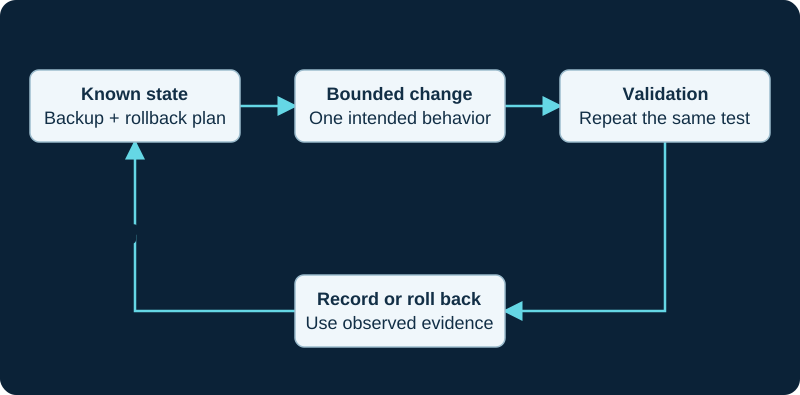
Start with restricted network access and internal extension calls. Keep paid trunks and production numbers out of early experiments. Save the current configuration before a change and record how to roll it back. A restore exercise should not accidentally create a second active PBX using the same carrier credentials.
Configuration panels use obvious credential placeholders. Protect packet captures and logs: they can contain identities, dialed numbers and media. Share the smallest redacted evidence needed for support.
Begin with the operating plan
Use the self-hosted VoIP guide to decide topology, staffing and recovery requirements. Learn how VoIP works before treating every failure as a firewall problem. The lab's purpose is to make each next diagnostic step explainable.
Sources & applicability
Primary references for the technical details above. Operational examples and planning checklists are VoIP.info editorial guidance.