Count visible work, not advertised lines
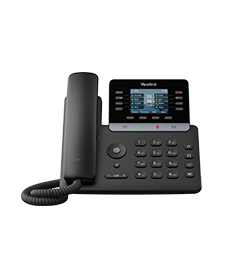
List the people a receptionist must monitor and the actions used during a busy hour. Physical line keys, programmable contacts, SIP accounts and concurrent calls are different quantities. A paged contact list may be inconvenient if an urgent transfer requires several screen changes. The Yealink T58W Pro illustrates the separation: 16 SIP accounts, 27 DSS assignments and up to three EXP50 modules are different resources, and none establishes simultaneous calls or provider entitlement.
Test the complete transfer
Call from outside, answer on the headset and perform an attended transfer to an available colleague. Repeat when that colleague is busy, does not answer and forwards elsewhere. Confirm how the receptionist retrieves a failed transfer and whether the original caller remains connected.
Expansion modules and power
Verify that the exact phone, module, firmware and calling platform support the intended busy-lamp and pickup behavior. Include module power draw in the switch budget. A physical expansion connector alone does not establish that every key function will work.
Accessory documentation can age differently from host-phone support lists. The Grandstream GBX20, for example, has a current product page and datasheet that list more hosts than its older quick installation guide. Treat the current compatibility claim as a candidate and verify the exact phone firmware, connector, module count, power arrangement and configuration path before purchase or change. Position the phone and module so the operator can see incoming calls while working in other applications.
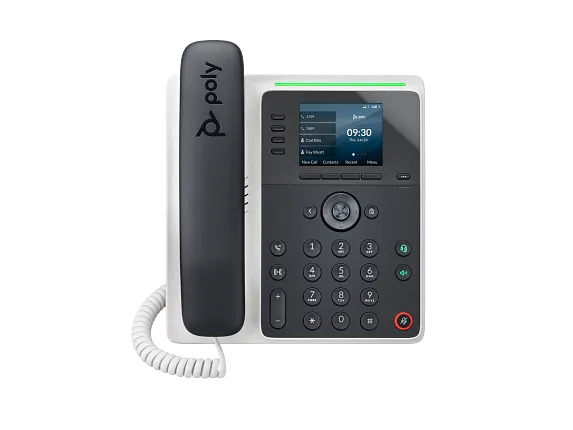
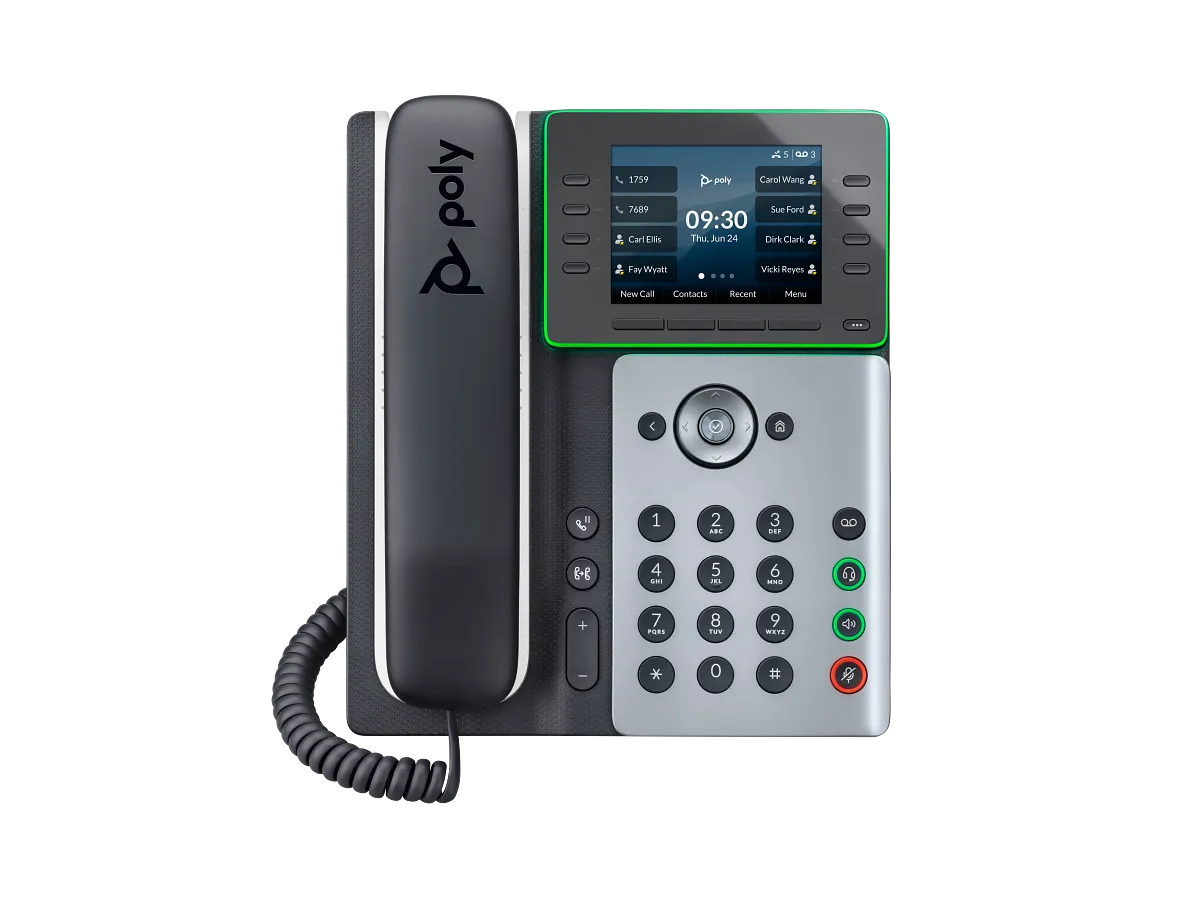
The Poly Edge E500 illustrates why those values must stay separate: HP documents 12 host keys and up to two 22-key, three-page modules, while its own page conflicts between 48 lines/features/contacts and 34 SIP lines. Neither value proves simultaneous-call capacity or a provider's BLF and transfer behavior.
The Snom D892M adds a different trade-off: the operator can move with its bundled cordless handset while the fixed base presents ten physical SmartLabel keys across four pages and supports optional D8C modules. Mobility, visible key access, expansion power, PBX feature mapping and simultaneous-call capacity still require separate acceptance tests.
Provide absence coverage
Define overflow destinations, lunch coverage and an out-of-hours route. Test a receptionist phone that is unplugged as well as one that is busy. A polished front desk depends on ring groups and call queues, not only hardware. Record the acceptance results before standardizing on an expensive configuration.
Count visible Fanvil keys, not only configured assignments
The Fanvil V64 publishes up to 21 DSS assignments, but paged programmable roles are not the same as dedicated physical line keys or simultaneously visible monitored users. Validate the operator's key map, page changes, BLF state and transfer workflow on the intended PBX.
Evaluate V65 sightline and key state together
For an executive or reception workflow, the Fanvil V65 adjustable display does not replace a visible-key count or PBX-state test. Verify glare and angle alongside BLF, transfer, park, pickup and conference behavior on the intended firmware and service.
Count the T74U host keys, pages and EXP55 chain separately
The Yealink T74U publishes ten LED line keys, five on-phone DSS pages and support for as many as three EXP55 modules. Map the actual labels, power and USB chain, PBX state and failure recovery instead of treating 234 programmable positions as 234 live lines.
Count the T73U host keys, pages and EXP55 chain separately
The Yealink T73U publishes eight LED line keys, five on-phone DSS pages and support for as many as three EXP55 modules. Map actual labels, power and USB chain, PBX state and failure recovery instead of treating 234 programmable positions as 234 live lines.
Stage the Sangoma P330 or P370 with its PM200
The PM200 remains an accessory for the P330 and P370, not a standalone phone or a generic P-Series console. Sangoma's version 4.x record lists separate 4.28.4 images for the P330, P370 and PM200 with an internal date of September 2, 2026. Separate images do not establish that all three components are installed, approved or intended to move together.
Record host and module builds, module count, power arrangement, programmed pages and headset path. Pilot visible labels, lamp state, monitored subscriptions, transfer actions, restart and reprovisioning with the complete desk. For the P370, carry the 4.28.4 EHS-menu issue into the headset test rather than generalizing it to all call control.
Stage the GRP2670 and GBX20 as one operator desk
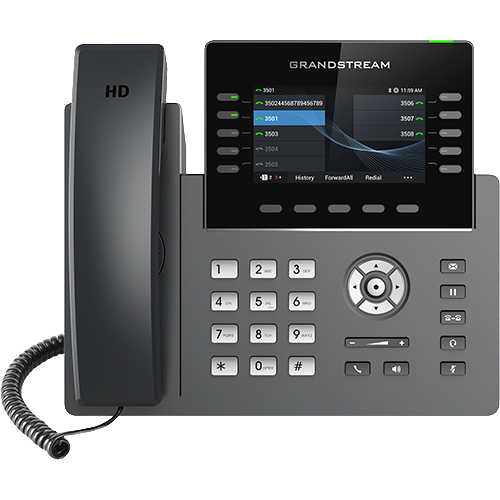
The GRP2670 publishes 48 virtual keys, while the GBX20 publishes 40 contacts per module and up to four modules. Keep those figures separate from lines, SIP accounts, simultaneous calls and provider capacity. Two or more GBX20 modules also introduce the module's documented 12 V power requirement.
Count D815WB host keys, pages and D8C positions separately
The Snom D815WB publishes ten physical SmartLabel keys, forty functions across four pages and up to three D8C modules. Map the real display, module chain, power, PBX subscriptions and failed-transfer recovery instead of treating positions as lines or simultaneous calls.
Keep the C455HD host and expansion workflow exact
The AudioCodes C455HD documents an optional touch expansion module only for the DBW version. Treat the host, module, power, firmware, account and Teams policy as one tested combination; added contacts do not create queue capacity, line registration or a successful transfer process.
Distinguish integrated and optional AudioCodes control surfaces
The C436HD integrates a sidecar; the C456HD offers an optional G2 expansion module with its own certification record. In both cases the controls remain dependent on identity, policy and workflow, and do not create queue membership, carrier capacity or successful transfer recovery.
Do not convert T88 DSS capacity into queue or line capacity
The T88W Pro and T88V Pro document 84 one-touch DSS assignments and expansion support. Those controls remain account- and PBX-driven; they do not establish monitored-user count, queue staffing, simultaneous calls, carrier channels or successful transfer recovery.
Do not convert Fanvil DSS positions into queue capacity
The V62 Pro lists up to 21 DSS positions and the V66 Pro up to 116. Those controls depend on account, PBX feature and subscription state; they do not prove monitored-user count, staffing, simultaneous calls, carrier channels or transfer recovery.
Do not convert GRP2624 keys or GBX20 contacts into call capacity
The GRP2624 lists eight line keys, up to 32 programmed positions and as many as 160 GBX20 contacts. Those figures do not establish SIP identities, carrier channels, simultaneous calls, PBX subscriptions or transfer success.
Do not turn GRP2615 key density into call capacity
The GRP2615 guide separates ten physical line keys, forty VPK positions, GBX20 contacts, SIP accounts, simultaneous calls and PBX subscription state.
Do not treat Edge E pagination as a reception console
The E100 and E220 spread configurable assignments across four pages. Test visible state and transfer speed instead of converting paginated keys into dedicated operator controls.
Count Cisco 9800 host and KEM positions without inventing calls
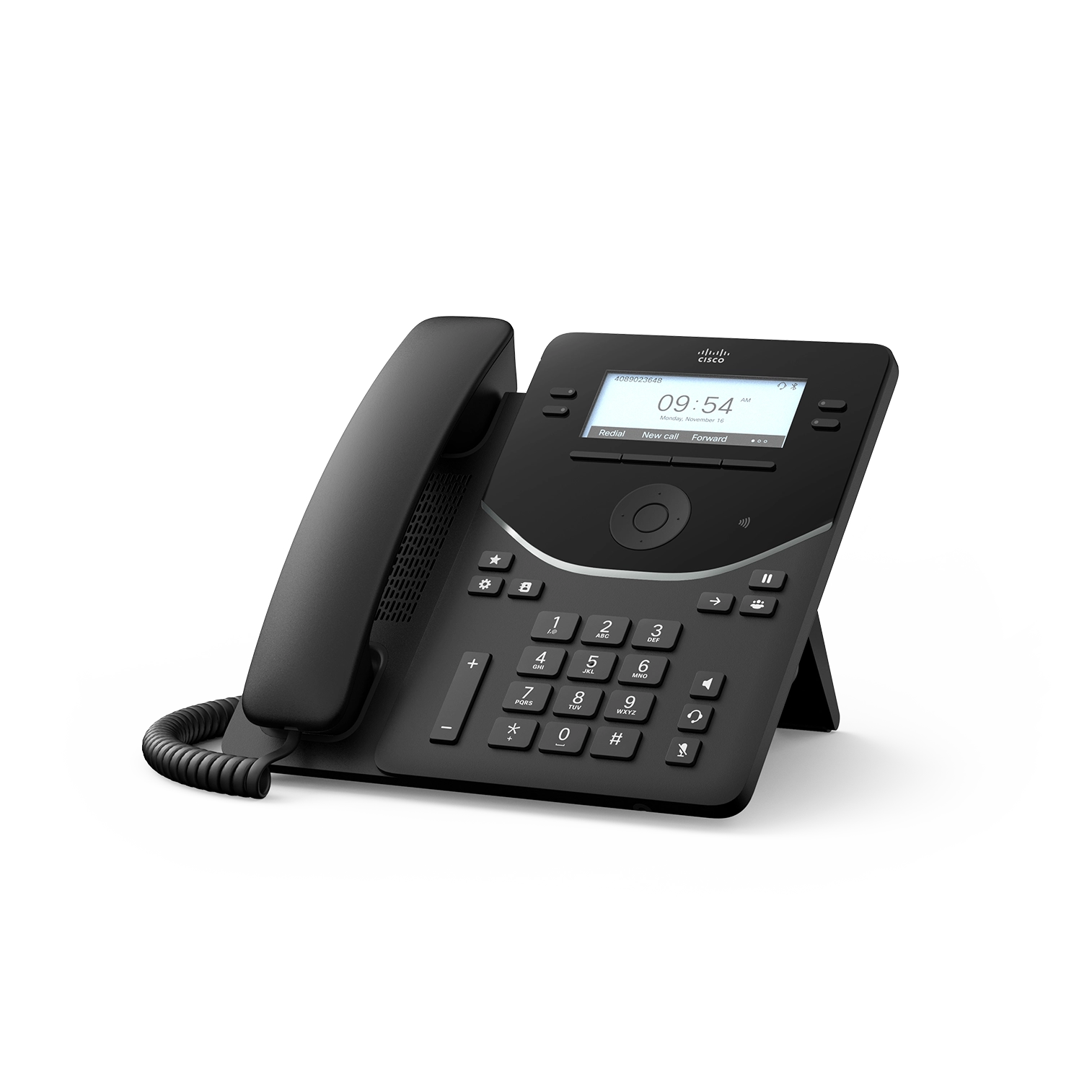
The Cisco 9800 diagnostic keeps host keys, KEM pages, feature positions, SIP identities and simultaneous calls separate.
Count Edge E400 and E450 pages without inventing call capacity
The E400, E450 and shared diagnostic keep host keys, secondary pages, module positions, SIP identities and calls separate.
Recalculate Edge E500-series keys when modules are attached
The E500, E550 and shared diagnostic preserve the host-pagination change, module pages, registrations and calls separately.
Watch the explanation
See how a preconfigured busy-lamp-field key can hand off an active call in one press. The short example is useful for reception staff who already have named extension keys and want to understand what happens when they select a colleague during a call.
Read applicability and editorial notes →Watch this video here
Accelerate Networks GRP2615 key configuration. BLF subscriptions, transfer mode and lamp behavior depend on the phone template and PBX. Review used the available transcript and primary references; audio and screen readability remain unverified.

The player loads only when you choose Watch here. Playback uses YouTube’s privacy-enhanced embed; YouTube processes playback data.
Compare an immediate handoff with an attended transfer that gives the receiving person time to speak privately. The second part adds participants to a local conference and removes a selected participant, connecting the phone’s controls with the people involved in each call state.
Read applicability and editorial notes →Watch this video here
GRP2670 touchscreen workflow. Transfer behavior and conference capacity depend on firmware, account settings and PBX support. Review used the available transcript and primary references; audio and screen readability remain unverified.

The player loads only when you choose Watch here. Playback uses YouTube’s privacy-enhanced embed; YouTube processes playback data.
Sources & applicability
Primary references for the technical details above. Operational examples and planning checklists are VoIP.info editorial guidance.
- Cisco 9800 Series official datasheet ↗
- Yealink current IP phone catalogue ↗
- Grandstream GBX20 product page ↗
- Snom D892M product page ↗
- Snom D892M data sheet v3 ↗
- Yealink SIP-T58W Pro technical specifications ↗
- Yealink SIP-T58W Pro support datasheet ↗
- Yealink SIP-T58W Pro manufacturer datasheet ↗
- Yealink SIP-T58W Pro with Camera specifications ↗
- Fanvil V64 product page ↗
- Fanvil V Series business IP phones ↗
- Fanvil V64 document library ↗
- Fanvil V64 and V65 user manual ↗
- Fanvil V64 datasheet ↗
- Fanvil V64 firmware and release-note index ↗
- Fanvil V65 product page ↗
- Fanvil V65 document library ↗
- Fanvil V65 firmware directory ↗
- Fanvil V65 September 22, 2026 firmware directory ↗
- Yealink SIP-T74U product page ↗
- Yealink SIP-T74U datasheet ↗
- Yealink SIP-T74U quick-start guide v1.1 ↗
- Yealink SIP-T74U support centre ↗
- Yealink SIP-T73U product page ↗
- Yealink SIP-T73U datasheet ↗
- Yealink SIP-T73U support centre ↗
- Sangoma P-Series version 4.x firmware ↗
- Sangoma compatible phone headsets ↗
- Grandstream GRP2670 product page ↗
- Grandstream GRP2670 datasheet, version 3.2025 v2 ↗
- Grandstream current firmware index ↗
- Grandstream GBX20 extension-module datasheet ↗
- Snom D815WB product page ↗
- Snom D815WB datasheet, version 26 August 2026 ↗
- Snom D815WB safety instructions, version 6 February 2026 ↗
- Snom D8xx white-model announcement ↗
- Snom firmware update centre ↗
- AudioCodes C435HD product page ↗
- AudioCodes C435HD version 2.7 specifications ↗
- AudioCodes C435HD supported Teams features ↗
- AudioCodes C455HD product page ↗
- AudioCodes C455HD version 2.7 specifications ↗
- AudioCodes C455HD supported Teams features ↗
- Microsoft Teams certified phones and public-cloud firmware ↗
- AudioCodes C436HD product page ↗
- AudioCodes C436HD version 2.7 overview ↗
- AudioCodes C436HD version 2.7 specifications ↗
- AudioCodes C436HD supported Teams features ↗
- AudioCodes C456HD product page ↗
- AudioCodes C456HD version 3.1 overview ↗
- AudioCodes native Teams phone releases ↗
- AudioCodes C456HD administrator settings ↗
- AudioCodes C456HD accessibility settings ↗
- Yealink SIP Phone T88 series product page ↗
- Yealink SIP-T88W Pro datasheet ↗
- Yealink SIP-T88V Pro datasheet ↗
- Yealink SIP-T88V Pro support centre ↗
- Yealink T88 line-key administration ↗
- Yealink T88V Pro video settings ↗
- Fanvil V62 Pro product page ↗
- Fanvil V62 Pro datasheet ↗
- Fanvil V62 Pro document centre ↗
- Fanvil V62 Pro firmware page ↗
- Fanvil V66 Pro product page ↗
- Fanvil V66 Pro datasheet — Android wording ↗
- Fanvil V66 Pro datasheet — Linux wording ↗
- Fanvil V66 Pro document centre ↗
- Fanvil V66 Pro firmware page ↗
- Fanvil Security Center support-period statement ↗
- Grandstream GRP2624 product page ↗
- Grandstream GRP2624 datasheet ↗
- Grandstream GRP2624 quick installation guide ↗
- Grandstream GRP26xx administration guide ↗
- Grandstream GRP26xx firmware upgrade guide ↗
- Grandstream GRP2613(W) product page ↗
- Grandstream GRP2615 product page ↗
- Grandstream GRP2615 datasheet ↗
- Grandstream GRP261x series user guide ↗
- Grandstream GRP26xx virtual multi-purpose keys guide ↗
- Grandstream firmware directory ↗
- HP Poly Edge E Series product family ↗
- HP Poly Edge E Series Administrator Guide, PVOS 8.2.1 ↗
- HP Poly Edge E Series User Guide, PVOS 8.2.1 ↗
- HP Poly Voice Software 8.6.1 release notes ↗
- HP Poly Edge E Series flexible line key assignments ↗
- HP Poly Edge E Series PVOS 8.0.0 release notes ↗
- HP Poly Edge E Series safety and regulatory notices ↗
- HP Poly Edge E100 and E220 specification sheet ↗
- Cisco Desk Phone 9800 Series get-started guide ↗
- Cisco PhoneOS 9800 and 8875 release notes ↗
- Cisco Desk Phone 9800 Key Expansion Module guide ↗
- Cisco Desk Phone 9800 Series security technical paper ↗
- Cisco Desk Phone 9800 Series support hub ↗
- Cisco Desk Phone 9800 Series quick reference guide ↗
- Cisco SIP phone denial-of-service advisory, September 2, 2026 ↗
- HP Poly Edge E Series Administrator Guide, PVOS 8.5.0 ↗
- HP Poly Edge E Series User Guide, PVOS 8.6.0 ↗
- HP Poly Voice Software 8.6.x release notes ↗
- HP Poly Edge E phones Bluetooth and Wi-Fi support matrix ↗
- HP Poly Edge E300, E320 and E350 setup and user guides ↗
- HP Poly Edge E300 Series Quick Start Guide ↗
- HP Poly Edge E300 product data sheet ↗
- HP Poly Edge E320 product data sheet ↗
- HP Poly Edge E400 and E450 setup and user guides ↗
- HP Poly Edge E400 Series Quick Start Guide ↗
- HP Poly Edge E400 product data sheet ↗
- HP Poly Edge E450 product data sheet ↗
- HP Poly Edge E300 Series quick start ↗
- HP Poly Edge E350 product data sheet ↗
- HP Poly Edge E500 and E550 setup and user guides ↗
- HP Poly Edge E500 Series quick start ↗
- HP Poly Edge E500 product data sheet ↗
- HP Poly Edge E550 product data sheet ↗