Watch · Video guides

See how it works.

Selected video explanations, paired with the written guides and version notes that help you put them to use.

Watch alongside: Receptionist phones and expansion keys

Browse all 78 selections
Experience level, length and sorting
Clear filters

14 videos · Showing 1–14

Phone operation · Foundational

Fanvil V-series on Modern Telecom: from call handling to door intercoms

Modern TelecomVersion-specific

A detailed staff-training session connects everyday call controls with a configured office system: monitored colleagues, shared parking, a conference server, voicemail and a door intercom. It also explains why a local dial tone does not prove the phone has working service. Use it to plan which features staff need to practise, then check those features against your own provider’s instructions.

Phone operation · Foundational

Fanvil V64 on Elevate: calls, conferences and Call Flip

Version-specific

Follow a complete working-day sequence on a provisioned V64: take a waiting call, consult before transferring, manage a conference and move a call to another device. The useful distinction is between controls on the desk phone and features supplied by the hosted account. Read the parking guide alongside the demonstration to understand why a held call and a parked call behave differently.

Product demonstration · Foundational

Fanvil X5U-R: identify the red handset and its call controls

VoIP SupplyVersion-specific

An unboxing of the red X5U variant introduces its two displays, paged keys and physical call controls. It is useful when planning a visibly identifiable desk phone or teaching staff where to find the handset and common controls. The companion selection guide explains why conspicuous color is only one part of choosing an appropriate endpoint.

Phone operation · Foundational

Fanvil X5U: directory, BLF and shared parking on Modern Telecom

Modern TelecomVersion-specific

Learn how the X5U’s second display becomes a working directory rather than a list of unexplained buttons. The demonstration searches a company directory, moves between programmed key pages, transfers a caller and contrasts private hold with a shared parking slot. That makes it useful for staff moving between departments or answering calls for colleagues.

Phone operation · Foundational

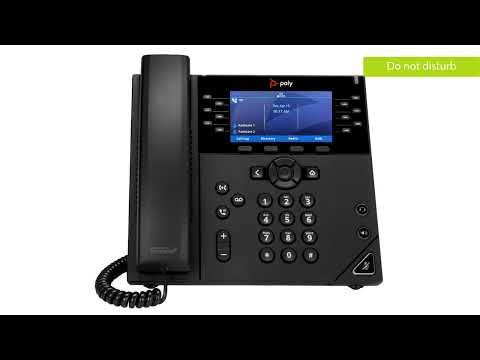
Poly VVX 450: a complete call-handling walkthrough with Arvig

ArvigVersion-specific

Work through a VVX 450’s daily operations, including selecting a waiting call, consulting before transfer, conferencing, voicemail and forwarding. The provider context helps explain why two otherwise identical phones can expose different softkeys or park destinations. Use the broader phone guide for orientation and the transfer troubleshooting page when a successful key sequence still fails to complete the handoff.

How to use these selections

Read the applicability note before following a configuration walkthrough. Older interfaces can still teach useful concepts; the written guides provide our current software baseline. Videos remain on the creator’s channel, and you can open them directly on YouTube.

Selection notes are based on the complete available transcript and checks against primary documentation. Audio and screen readability have not yet been independently verified. Chapter timestamps are included only when verified.

Selections are editorial. A creator may promote their own services or affiliate links; that does not establish a relationship with VoIP.info.

Claims worth examining

Some popular explanations need a closer look. These reviews distinguish useful ideas from claims that the protocol does not support.

SIP and VOIP. The Privacy Solution No One Knows About