Define one device and one wrong setting
Record the exact model, hardware revision, firmware, MAC address, extension, template, provisioning address and protocol. Name one harmless expected field and the value actually visible after a controlled refresh or reboot. A green registration state or successful call does not prove that the intended configuration file was selected, parsed or activated.
Build a timestamped chain: discovery or configured URL, DNS result, network connection, file request, HTTP/TFTP/FTP response, returned bytes, parser or device log, activation event and resulting field. Stop at the first unproven state. A server log showing a 200 response proves delivery of that response, not that it contained the right device file or that the phone accepted it.
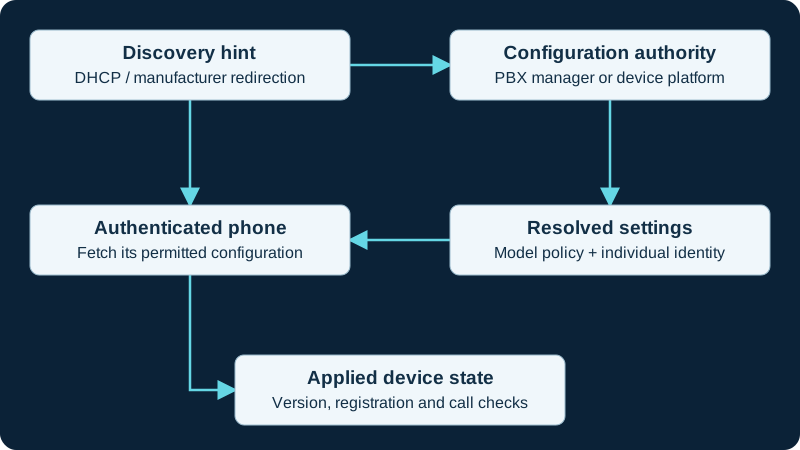
Choose one configuration owner. A discovery hint or MAC-based filename is not authentication; verify both file access and the resulting device behavior.
Follow EPM ownership from MAC to artifact
Sangoma separates Global Settings, brand templates, Extension Mapping, model-specific settings, Basefile Edit, custom extensions and firmware slots. Extension Mapping ties a MAC address and extension to the template used to build files; the template carries the destination and provisioning addresses and model choices. Confirm that exact chain instead of editing a similarly named template.
Record the requested filename and compare its generated content with the mapped extension and model. A yellow mapping, saved template, rebuilt file, pushed resync and phone reboot are separate states. EPM's global resync interval can cause a later fetch, so capture whether the device changes immediately and whether that value survives the next scheduled synchronization.
Separate delivery, parsing and activation
Preserve the response status, content type, byte count and a secret-redacted digest of the retrieved file. A captive-portal page, login form or generic default returned with an apparently successful HTTP code is not a valid configuration. Compare syntax and parameter names with the exact model and installed firmware; a key supported by a sibling model or later image can be silently ignored.
Use one harmless, reversible visible marker where the manufacturer supports it. Distinguish file accepted, settings staged, phone resynced, phone rebooted and field active. Do not factory-reset first: a reset can erase useful evidence and simply repeat the same wrong mapping, redirect or cloud owner.
Keep support, certification and firmware scope explicit
Sangoma's device table distinguishes certified from non-certified manufacturers and tested from not-tested models. A model present in EPM can therefore have only generated configuration support without a laboratory provisioning result or guaranteed support. Phone Apps support is also a separate matrix. Record the exact row and any firmware or manual-upload note before treating EPM presence as compatibility.
EPM's firmware management can assign Recommended, Slot 0, Slot 1 or Slot 2 by template. The administrator guide says Recommended is a version Sangoma tested, not proof that all features work or that the firmware is bug-free. Compare the device's installed image, assigned slot, retrieved artifact and completed upgrade separately; retain the vendor-supported recovery path before changing firmware.
Find the later writer
If the controlled marker appears and later disappears, correlate the time with EPM resync, a PBX manager rebuild, DHCP or redirect service, vendor cloud, local administrator, phone import or another provisioning server. Identify one authoritative owner for each field. Do not run OSS and commercial EPM together: Sangoma states that their different base configuration files interfere.
Basefile Edit is an advanced override layer, and Sangoma recommends using it with support guidance. A value emitted there can defeat a normal template change. Inspect only the relevant keys in a restricted workspace because generated files can contain SIP passwords, administrator credentials, internal addresses and certificate material. Never paste a complete configuration into a public ticket or forum.
Prove the repaired lifecycle
After correcting the demonstrated owner, regenerate the artifact and retain a redacted before-and-after comparison. Prove the harmless marker, account identity, registration, inbound and outbound calls, DTMF, transfer or monitored keys when required, certificate or VLAN policy and firmware state. Repeat after scheduled resync, reboot and a server or credential change.
Remove the marker and temporary logging, confirm the retired owner no longer writes the field and document rollback. Do not declare success from registration alone. No PBX, EPM module, template, basefile, phone, file, credential, firmware, network path, registration or call was inspected or tested for this guide.
Follow the FreePBX-specific state chain
When a mapped FreePBX phone fetches an old or wrong value, use the Endpoint Manager diagnostic. It checks the MAC mapping, selected template, generated artifact, discovery owner, server request and device runtime before a reset or firmware change.
Use the application-specific Linphone branch
Linphone's XML path has its own focused diagnostic: the URL is selected in the application or carried by a QR code, configuration applies at a startup boundary, and overwrite and transient flags control whether a value changes or returns. Keep it separate from MAC-addressed desk-phone templates.
Do not collapse GRP2624 Wi-Fi state into provisioning state
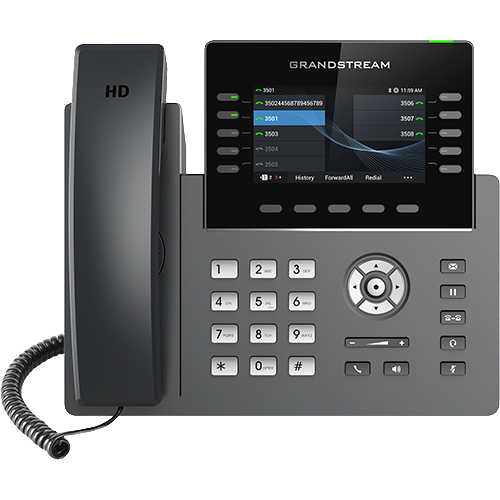
The GRP2624 Wi-Fi diagnostic proves hardware, association and IP service before checking the authoritative provisioning URL, certificate state, delivered configuration, SIP registration and calls.
Use the Linphone-specific precedence branch
For Linphone, use the focused diagnostic to resolve Core-start timing, MDM priority, XML support, overwrite and transient behavior before factory-resetting the client.
Escalate GRP model and firmware mismatches before resetting
The GRP2613/GRP2615 workflow checks suffix, part number, legacy status, image family and template owner before repeated factory resets.
Resolve Edge E model and configuration precedence first
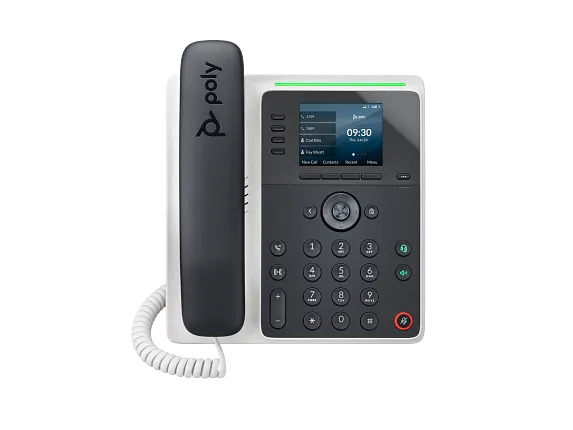
The E100/E220 workflow checks exact software model, provisioning owner, matched file and flexible-line-key override before a factory reset.
Confirm Trio C60 effective profile after provisioning
A successful file request does not prove the intended base profile, call application, calendar, installed build or expansion topology. Preserve the apply event and effective state.
Check the VP59 edition before applying a template
The VP59 diagnostic prevents Open SIP, Teams and Zoom image or configuration crossover.
Confirm GAC2570 effective configuration after download
A successful request does not prove the intended SIP account, application owner, Wi-Fi state, host selection, microphone accessory or firmware boundary.
Watch the explanation
Shows the difference between claiming a device, changing one endpoint and applying a model or site template. Useful for understanding configuration scope before a fleet rollout.
Read applicability and editorial notes →Watch this video here
Grandstream’s 2023 GDMS interface. Verify the current console, supported models and firmware before following clicks. Review used the available transcript and primary references; audio and screen readability remain unverified.

The player loads only when you choose Watch here. Playback uses YouTube’s privacy-enhanced embed; YouTube processes playback data.
Maps an extension’s credentials to a phone account, then adds voicemail access and busy-lamp keys. Changing the default phone administration password is part of the walkthrough.
Read applicability and editorial notes →Watch this video here
FreePBX 15 and Yealink T58A in 2021. Use current firmware documentation for your exact model. Review used the available transcript and primary references; audio and screen readability remain unverified.

The player loads only when you choose Watch here. Playback uses YouTube’s privacy-enhanced embed; YouTube processes playback data.
Sources & applicability
Primary references for the technical details above. Operational examples and planning checklists are VoIP.info editorial guidance.
- Sangoma: Endpoint Manager templates, global settings and extension mapping ↗
- Sangoma: EPM supported-device and tested-level definitions ↗
- Sangoma: EPM basefile override scope ↗
- Sangoma: EPM firmware-version reference ↗
- Sangoma: EPM support and competing-module boundaries ↗
- Sangoma Endpoint Manager ↗
- Sangoma EPM and DPMA for D and P phones ↗
- Sangoma Endpoint Manager custom firmware ↗
- Sangoma Option 66 precedence after EPM provisioning ↗
- FreePBX Endpoint module password advisory ↗
- Linphone remote provisioning ↗
- Linphone QR-code and provisioning-link login ↗
- Linphone third-party SIP account login ↗
- Grandstream GRP2624 product page ↗
- Grandstream GRP2624 datasheet ↗
- Grandstream GRP2624 quick installation guide ↗
- Grandstream GRP26xx administration guide ↗
- Grandstream GRP26xx firmware upgrade guide ↗
- Grandstream current firmware and release-notes index ↗
- ↗
- ↗
- ↗
- ↗
- ↗
- ↗
- ↗
- ↗
- Grandstream GRP2613(W) product page ↗
- Grandstream GRP2615 product page ↗
- Grandstream GRP2615 datasheet ↗
- Grandstream GRP261x series user guide ↗
- Grandstream GRP26xx virtual multi-purpose keys guide ↗
- Grandstream firmware directory ↗
- HP Poly Edge E Series product family ↗
- HP Poly Edge E Series Administrator Guide, PVOS 8.2.1 ↗
- HP Poly Edge E Series User Guide, PVOS 8.2.1 ↗
- HP Poly Voice Software 8.6.1 release notes ↗
- HP Poly Edge E Series flexible line key assignments ↗
- HP Poly Edge E Series PVOS 8.0.0 release notes ↗
- HP Poly Edge E Series safety and regulatory notices ↗
- HP Poly Edge E100 and E220 specification sheet ↗
- HP Poly Trio C60 product page ↗
- HP Poly Trio C60 full-radio data sheet ↗
- HP Poly Trio C60 no-radio data sheet ↗
- HP Poly Trio C60 for Microsoft Teams full-radio data sheet ↗
- HP Poly Trio C60 Administrator Guide 9.3.0 ↗
- HP Poly Trio C60 User Guide 9.4.0 ↗
- HP Poly Voice Software 9.5.x release notes ↗
- HP Poly Trio C60 setup, administration and release library ↗
- Yealink SIP-VP59 datasheet ↗
- Yealink VP59 support index ↗
- Yealink SIP-VP59 V1 quick start guide V86.20 ↗
- Yealink administrator guide for VP59 and SIP-T58/CP96X V86.11 ↗
- Yealink February 25, 2026 SIP firmware release record including VP59 91.87.0.25 ↗
- Yealink VP59 Teams Edition product resources ↗
- Yealink VP59 Teams firmware and release-note record ↗
- Yealink VP59 Zoom Phone Appliance product page ↗
- Yealink VP59 Teams and Zoom version-conversion guidance ↗
- Yealink SIP IP phones auto-provisioning guide V1.5 ↗
- Yealink security certificates guide V1.4 ↗
- Yealink Zoom phone provisioning-server guidance for VP59 ↗
- Grandstream GAC2570 product page ↗
- Grandstream GAC2570 datasheet ↗
- Grandstream GAC2570 1.0.3.33 release notes ↗
- Grandstream security bulletins ↗
- Grandstream Helpdesk ↗
Examples require adaptation to your topology. No live PBX or hardware testing is claimed.