Documented specifications
Sangoma · Official documentation remains available; current catalogue placement and support end date not confirmed
| Specification | Documented value |
|---|---|
| Family | P-Series Source ↗ |
| Ethernet | 2 × switched 10/100 Mbps ports Source ↗ |
| Display | 2.4-inch color LCD, 320 × 240 Source ↗ |
| Line keys | 2; registrations and BLF share these keys Source ↗ |
| PoE | Class 1; manufacturer lists 2.5 W Source ↗ |
| Headset connection | RJ9 with EHS support Source ↗ |
| SIP security | TLS and SRTP documented Source ↗ |
| Firmware lane reviewed | P-Series 4.28.4 release record, internal date Sep 2, 2026; installed and approved versions not verified Source ↗ |
Unlisted fields remain unverified. Platform compatibility and remaining support life require confirmation for the exact ordered model.
Where the P310 fits
The P310 is useful research for a simple desk or an existing fleet where staff mainly answer, hold and transfer calls. Its small display and two line-appearance keys make the visible control budget important. This is a documentation-based evaluation, not a call-quality rating.
Check the workstation bottleneck
The documented switched Ethernet ports are 10/100 Mbps. If a workstation connects through the phone, that link is a concrete difference from the P315. Check the actual desk wiring and application needs before substituting one model for the other. A working voice call does not demonstrate adequate throughput for the attached computer.
Budget the two keys
The technical guide describes either two registration keys or one registration plus one BLF key. Ask the user to demonstrate their transfer and pickup routine with that limited visible set. Reception staff monitoring many colleagues should evaluate a phone with more controls, such as the P330, instead of relying on a model-family feature list.
Reuse with a documented support decision
The official P310 page and technical reference remain available, while the current family datasheet focuses on other models. This establishes documentation, not a future support commitment. Verify firmware availability, provisioning ownership and the exact support position before acquiring more units. Test a restart, a fresh registration and the actual headset on a representative existing phone.
Keep headset control and firmware state separate
Sangoma's compatibility page lists EHS and audio-only headset paths for the P310 on all firmware. It does not list this model in the USB or Bluetooth groups. EHS still requires the vendor-specific cable, and audio-only leaves call control on the phone. A connector or family name is therefore not evidence that a particular headset's answer and hang-up controls work.
Sangoma's version 4.x record includes a P310 image in release 4.28.4, dated September 2, 2026. Record the installed build, provisioning owner, approved target and rollback source before change; the published image is not proof that this phone has received or should receive it.
Watch the explanation
A focused lesson for a new desk-phone user: choose handset, speaker or headset, correct a mistyped digit, cancel an unfinished number or select a contact. It works well as a quick reference during staff onboarding, with the model guide supplying the surrounding controls and configuration context.
Read applicability and editorial notes →Watch this video here
P-series provider tutorial. Physical keys and softkey colors vary across models and configured interfaces. Review used the available transcript and primary references; audio and screen readability remain unverified.
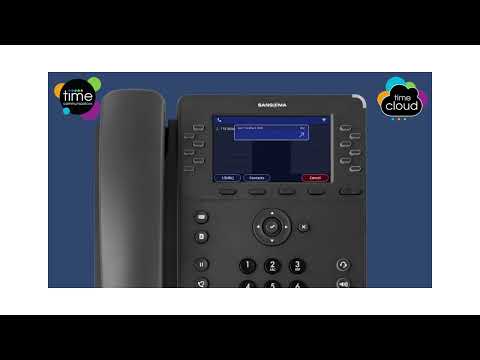
The player loads only when you choose Watch here. Playback uses YouTube’s privacy-enhanced embed; YouTube processes playback data.
Learn the small sequence that prevents a caller from being lost while you handle another task: put the call on hold, recognize that it remains held, and resume it deliberately. The clip also introduces starting a transfer from that held call. Read the parking guide to understand when a colleague needs a shared parked call instead.
Read applicability and editorial notes →Watch this video here
P-series provider tutorial. Hold music, visible keys and transfer behavior follow the installed phone/PBX configuration. Review used the available transcript and primary references; audio and screen readability remain unverified.

The player loads only when you choose Watch here. Playback uses YouTube’s privacy-enhanced embed; YouTube processes playback data.
Sources & applicability
Primary references for the technical details above. Operational examples and planning checklists are VoIP.info editorial guidance.