Documented specifications
Sangoma · Listed by manufacturer; future support end date and local stock not confirmed
| Specification | Documented value |
|---|---|
| Family | P-Series Source ↗ |
| Ethernet | 2 × switched 10/100/1000 Mbps ports Source ↗ |
| Display | 2.4-inch color LCD, 320 × 240 Source ↗ |
| SIP accounts | 2 Source ↗ |
| Line keys | 2 Source ↗ |
| PoE | Class 1; manufacturer lists 2.5 W Source ↗ |
| Visual voicemail | Not supported on P315 in March 2026 datasheet Source ↗ |
| Headset connection | RJ9 with EHS support Source ↗ |
| Firmware lane reviewed | P-Series 4.28.4 release record, internal date Sep 2, 2026; installed and approved versions not verified Source ↗ |
Unlisted fields remain unverified. Platform compatibility and remaining support life require confirmation for the exact ordered model.
A small phone on a shared desk connection
The P315 preserves a compact physical interface while providing switched gigabit Ethernet. That makes it worth evaluating when a computer shares the phone’s network outlet and the smaller P310 Ethernet capacity would be restrictive. Confirm link negotiation at both ports after installation.
Choose by the daily control sequence
Two visible line keys are a real interface constraint even when the PBX supports sophisticated routing. Ask staff how often they need a second account, a monitored colleague or a parking slot. Those uses compete for the same small set of controls; do not count every advertised feature as an additional physical button.
Do not promise every family application
The March 2026 family datasheet explicitly excludes visual voicemail on the P315. A user who needs a graphical mailbox workflow should evaluate the supported application on another exact model. Ordinary voicemail access and a message indicator are different capabilities. Keep the platform’s application compatibility alongside the device specification.
Pilot provisioning and desk resilience
Use the intended PBX provisioning mechanism on one phone and confirm that network settings survive a restart. Test desk-to-desk calling, transfer, a withheld-ID inbound call and the user’s headset. Check what happens to the attached workstation when the phone loses power. The current product listing does not guarantee local stock or a particular future support date.
Keep headset control and firmware state separate
Sangoma's compatibility page lists EHS and audio-only headset paths for the P315 on all firmware. It does not list this model in the USB or Bluetooth groups. EHS still requires the vendor-specific cable, and audio-only leaves call control on the phone. Confirm the exact headset, cable, answer and hang-up behavior in the intended desk workflow.
Sangoma's version 4.x record includes a P315 image in release 4.28.4, dated September 2, 2026. Treat that as release evidence only. Capture the installed build and provider or PBX approval before staging an update.
Watch the explanation
A focused lesson for a new desk-phone user: choose handset, speaker or headset, correct a mistyped digit, cancel an unfinished number or select a contact. It works well as a quick reference during staff onboarding, with the model guide supplying the surrounding controls and configuration context.
Read applicability and editorial notes →Watch this video here
P-series provider tutorial. Physical keys and softkey colors vary across models and configured interfaces. Review used the available transcript and primary references; audio and screen readability remain unverified.
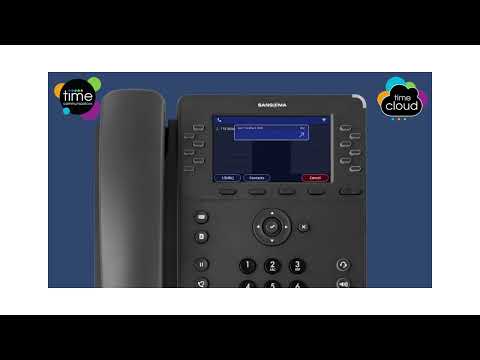
The player loads only when you choose Watch here. Playback uses YouTube’s privacy-enhanced embed; YouTube processes playback data.
Sources & applicability
Primary references for the technical details above. Operational examples and planning checklists are VoIP.info editorial guidance.