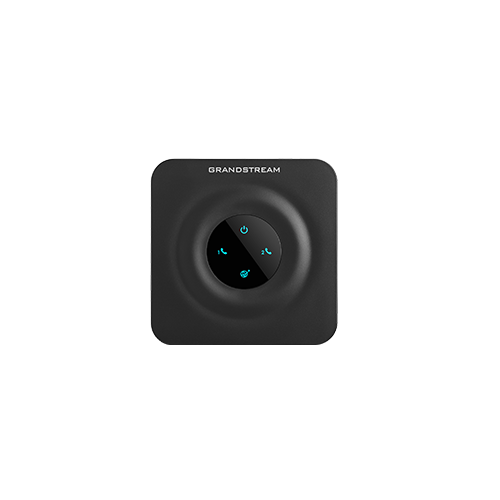
Documented specifications
Grandstream · Manufacturer documentation available at review; remaining support period and local availability not established.
| Specification | Documented value |
|---|---|
| FXS ports | 2 Source ↗ |
| FXO ports | None Source ↗ |
| SIP profiles | 2 Source ↗ |
| Ethernet | One 10/100 Mbps Source ↗ |
| Fax | T.38 documented; end-to-end compatibility still required Source ↗ |
| Provisioning | TR-069; XML configuration Source ↗ |
| Display | No user phone display; status indicators Source ↗ |
Unlisted fields remain unverified. Platform compatibility and remaining support life require confirmation for the exact ordered model.
What it is and why consider it
HT802 connects two analog telephone endpoints to a SIP service through a small adapter. It is a useful reference for an existing installation that needs a replacement or a controlled analog migration.
Reasons to choose something else
The HT802 and HT802 v2 are separate hardware records. Both product pages currently describe two FXS ports, two SIP profiles and one 10/100 Mbps Ethernet port; the v2 name is not evidence of Gigabit Ethernet or an FXO interface. For a new deployment, compare the exact revision and support plan, and do not install firmware intended for the other hardware generation.
Deployment and acceptance checks
Label FXS and FXO cables before connecting anything. Test ringing, off-hook detection, inbound caller ID, DTMF, disconnect supervision and a long call. For fax, run both incoming and outgoing multi-page tests through the real carrier; the T.38 label alone does not prove a reliable fax path.
Record the ordered model, hardware revision, installed firmware and calling platform together. Confirm administrator and provisioning ownership before connecting a previously used device. Keep the previous configuration and a supported recovery method before changing firmware; an arbitrary downgrade can remove security fixes.
Firmware, support and evidence
Use the linked Grandstream support resources to match the device to its approved firmware and provisioning instructions. The facts above come from manufacturer documentation; no hands-on measurements, current price or merchant offer are implied.
Where the table does not specify display, SIP-account capacity, network ports, PoE, Wi-Fi, Bluetooth, codecs, headset or expansion support, that field remains unverified for this record. A base station, handset and accessory have different responsibilities; do not copy a feature between them. Confirm lifecycle notices and support entitlement before a fleet purchase.
Sources & applicability
Primary references for the technical details above. Operational examples and planning checklists are VoIP.info editorial guidance.
Examples require adaptation to your topology. No live PBX or hardware testing is claimed.