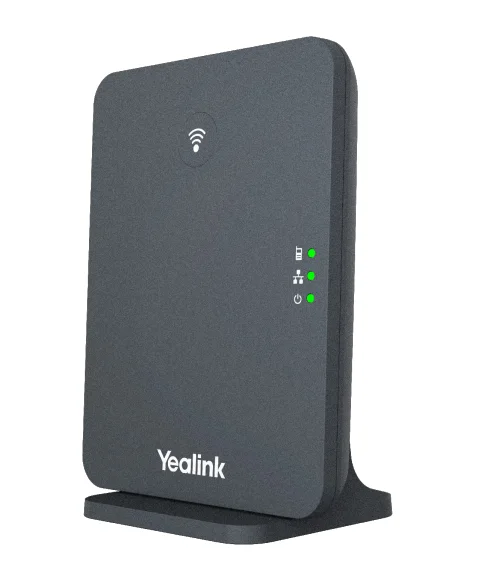
Documented specifications
Yealink · Manufacturer documentation available at review; remaining support period and local availability not established.
| Specification | Documented value |
|---|---|
| SIP accounts | Up to 10 Source ↗ |
| Paired devices | Up to 10 compatible DECT handsets or headsets Source ↗ |
| Calls | Current product page advertises up to 20; verify firmware and codec limits Source ↗ |
| Radio | DECT Source ↗ |
| Security | TLS and SRTP Source ↗ |
| Compatible handsets | Includes W73H, W78H and W59R Source ↗ |
Unlisted fields remain unverified. Platform compatibility and remaining support life require confirmation for the exact ordered model.
What it is and why consider it
W70B provides the IP-side call control connection for a small Yealink cordless deployment. Choose it as a base station, then select handsets according to display, headset and durability needs.
Reasons to choose something else
A single base does not provide a multi-cell campus. The current advertised call limit differs from older W70B literature, so confirm the supported firmware and bandwidth assumptions before capacity planning.
Deployment and acceptance checks
Survey the full work area with the chosen handset and test several simultaneous calls. Record base and handset firmware together; do not use the number of paired handsets as a guaranteed call-capacity result.
Record the ordered model, hardware revision, installed firmware and calling platform together. Confirm administrator and provisioning ownership before connecting a previously used device. Keep the previous configuration and a supported recovery method before changing firmware; an arbitrary downgrade can remove security fixes.
Firmware, support and evidence
Use the linked Yealink support resources to match the device to its approved firmware and provisioning instructions. The facts above come from manufacturer documentation; no hands-on measurements, current price or merchant offer are implied.
Where the table does not specify display, SIP-account capacity, network ports, PoE, Wi-Fi, Bluetooth, codecs, headset or expansion support, that field remains unverified for this record. A base station, handset and accessory have different responsibilities; do not copy a feature between them. Confirm lifecycle notices and support entitlement before a fleet purchase.
Choose single-cell or managed multi-cell deliberately
The W70B remains a single-base path for a bounded small deployment. When the requirement includes planned cell overlap and call-preserving roaming, evaluate the W90 multi-cell system instead of deploying independent W70B bases and assuming they form one managed radio system.
Move to managed cells only when the requirement needs them
The W70B remains a single-cell base. If the deployment requires planned overlap across a small site, compare the W75 mini multi-cell system; for a much larger topology, compare W90. The W74H can be evaluated on each documented Yealink path, but the base architecture determines roaming and system capacity.
Include conference endpoints in the single-cell capacity plan
The CP935W-Base reference documents a current W70B-attached conference endpoint. Keep its one-account endpoint boundary and five-way local conference separate from W70B system account and call totals, and include its table placement in the occupied-building radio survey.
Sources & applicability
Primary references for the technical details above. Operational examples and planning checklists are VoIP.info editorial guidance.
- Yealink W70B manufacturer specifications ↗
- Yealink firmware and support resources ↗
- Yealink W90 DECT IP Multi-Cell System ↗
- Yealink W90DM / W90B support centre ↗
- Yealink W90 datasheet ↗
- Yealink W75 product page ↗
- Yealink W75DM / W75B support centre ↗
- Yealink W75 datasheet ↗
- Yealink W74H product page ↗
- Yealink W74H datasheet ↗
- Yealink CP935W product page ↗
- Yealink CP935W support centre ↗
- Yealink CP935W 149.87.0.40 release note ↗
- Yealink CP935W-Base product page ↗
- Yealink CP935W-Base support centre ↗
- Yealink CP935W-Base datasheet ↗
- Yealink W70B datasheet ↗
- Yealink DECT single-cell and multi-cell comparison ↗
Examples require adaptation to your topology. No live PBX or hardware testing is claimed.