Three related capabilities
802.11k can help a client discover neighboring access points; 802.11v can provide network assistance for transition decisions; 802.11r shortens parts of the authentication process during a supported fast transition. They are complementary capabilities, not three names for the same feature. The client and infrastructure must support the chosen security and roaming combination.
An access point's feature list does not prove a specific handset will use it. Confirm the exact phone firmware, authentication mode and controller configuration. Some legacy clients require a different compatibility policy.
Walk the actual working route
Use a two-way call while walking through doors, stairwells and the edges of expected coverage. Repeat in both directions and at busy times. Record the phone's old and new BSSID, the transition time, audio gaps and whether the SIP call remains established. Compare wireless/controller events with RTP observations when available.
A roaming problem can be poor coverage, slow authentication, client stickiness or an L3 address change. Adding transmit power can worsen cell overlap and does not fix every category. A desk-bound speed test misses these transitions entirely.
Approve a handset and network combination
Define the routes, maximum acceptable conversational interruption and expected load with the people using the phones. Retest after major controller or handset firmware changes. Battery saving behavior and body placement also matter for portable devices. For a warehouse migration, compare the tested Wi-Fi solution with a suitable DECT design rather than assuming a newer Wi-Fi generation guarantees better roaming.
Diagnose one failed voice transition without flattening 802.11r, k and v
The Wi-Fi phone roaming diagnostic preserves client choice, neighbor assistance, Fast Transition, network steering, authentication, IP continuity and media loss as separate evidence. Vendor transition figures remain scenario-specific rather than a site result.
Walk the rugged-handset route under representative load
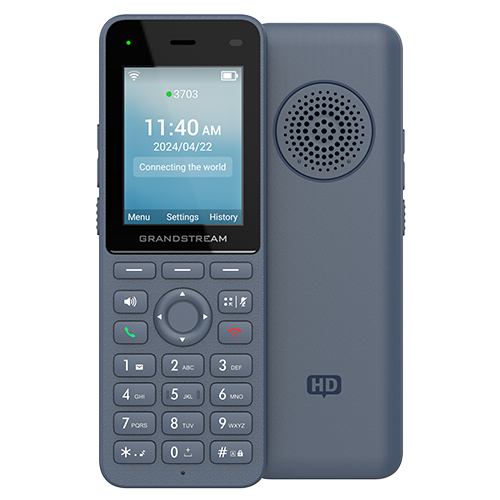
For the WP836 and other rugged Wi-Fi handsets, correlate BSSID change, authentication, address continuity, registration, RTP and audible results through the actual work route. Alarm monitoring, scanning or PTT load can change the relevant duty cycle.
Apply Cisco 9821 planning thresholds as inputs, not guarantees
The 9821 diagnostic correlates -67 dBm, 25 dB SNR and less than 40% utilization with the actual roam and both media directions.
Watch the explanation
Chris compares two cordless Wi-Fi phones and describes walking a live call across his home access points. The most useful part is the reported interruption during handoffs and his explicit warning that another network may behave differently. Read the roaming guide beside it to separate coverage, registration and media continuity when designing your own acceptance test.
Read applicability and editorial notes →Watch this video here
Historical WP810/WP820 comparison. Firmware, embedded software, availability and quoted prices belong to the recording period. Review used the available transcript and primary references; audio and screen readability remain unverified.

The player loads only when you choose Watch here. Playback uses YouTube’s privacy-enhanced embed; YouTube processes playback data.
Sources & applicability
Primary references for the technical details above. Operational examples and planning checklists are VoIP.info editorial guidance.
- Cisco: 802.11r/k/v on Catalyst 9800 ↗
- Apple: roaming and client compatibility ↗
- Yealink AX-series Wi-Fi roaming guide ↗
- Yealink AX-series access-point requirements ↗
- Grandstream WP836 product page ↗
- Grandstream WP836 datasheet ↗
- Grandstream WP816, WP826 and WP836 user guide ↗
- Grandstream WP816, WP826 and WP836 administration guide ↗
- Grandstream WP836 quick installation guide ↗
- Grandstream firmware listings ↗
- Grandstream compliance resources ↗
- Cisco Wireless Phone 9821 data sheet ↗
- Cisco Wireless Phone support index ↗
- Cisco Wireless Phone 9821 WLAN deployment guide ↗
- Cisco Wireless Phone 9821 abbreviated WLAN deployment guide ↗
- Cisco Wireless Phone 9821 quick reference guide ↗
- Cisco Wireless Phone 9821 user help ↗
- Cisco Wireless Phone 9821 regulatory and safety information ↗
- Cisco Wireless Phone 9821 headset compatibility guide ↗
- Cisco Wireless Phone end-user documentation index ↗
Examples require adaptation to your topology. No live PBX or hardware testing is claimed.