Separate the dialled identity from the account objects
A FreePBX extension is a dialled destination, while Asterisk res_pjsip represents a phone through related endpoint, authentication and address-of-record objects. A dynamic REGISTER creates a contact under the AOR. Those objects often share the extension number, but they are not one state: an accepted password challenge does not prove the expected contact, and a contact does not prove the dialplan selected or a call completed.
Decide whether the extension represents a person, shared position, room or service before assigning voicemail, caller ID, follow-me behavior or permissions. Keep the device secret separate from the linked User Management login and FreePBX administrator access. A renamed display name does not rotate a device secret or transfer mailbox ownership.
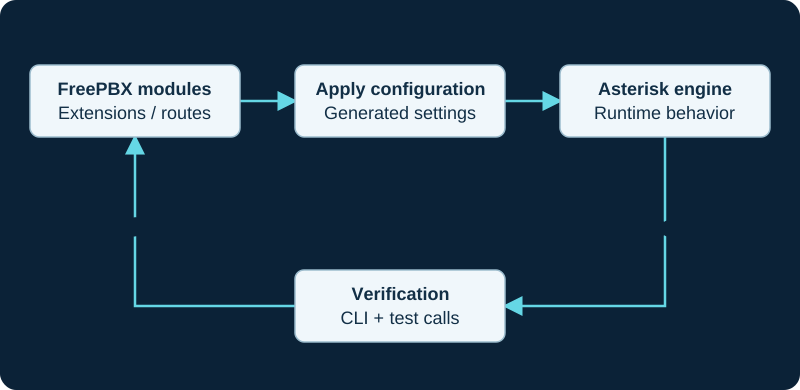
Use supported FreePBX controls and extension points. Direct edits to generated files can be replaced by the next configuration application.
Bind each policy to its actual scope
The Sangoma PJSIP-extension reference describes the user extension, display name, outbound caller ID and device secret as separate fields. It also exposes a linked User Manager identity, voicemail, optional destinations, recording controls and emergency caller ID. Preserve those scopes: a handset display label is not an asserted external caller ID, and an emergency caller ID does not by itself prove a carrier has activated the matching location.
Use a unique generated or policy-compliant device secret and provision it only to the intended endpoint. Set Max Contacts from the actual multi-device requirement rather than increasing it to hide stale registrations. The value limits dynamically created contacts; it is not a concurrency entitlement, call-waiting setting or proof that every listed device is currently reachable.
Treat submit, apply and runtime state separately
The public Sangoma page is explicitly labelled for PBX GUI version 13, so its field descriptions are useful evidence but not an exact FreePBX 17 screen map. Use the installed Extensions module as the controlling interface. The documented workflow still separates Submit from Apply Config; a saved form, generated configuration, successful reload and running PJSIP object are different states.
Record the change, inspect the resulting endpoint, AOR and contact relationship on the running instance, then provision one representative endpoint. Transport selection also has system scope: choosing TCP, TLS or WebSocket for an extension does not create the required listener, certificate or firewall path. Avoid changing codec, NAT, media-encryption or context fields without a requirement and a rollback path.
Accept the path, then retire every access path
A bounded acceptance sequence preserves registration, expected contact, inbound and outbound extension dialing, bidirectional audio, hold, transfer, voicemail deposit, message-waiting indication and restart recovery as separate results. Optional destinations for busy, no answer and not reachable require their own reproductions; one answered call does not exercise them.
When ownership changes, rotate or revoke the device secret, remove stale contacts, review User Manager linkage, voicemail PIN and messages, caller-ID policy, forwarding, follow-me destinations, provisioning assignment and emergency identity. No PBX, extension, user, secret, phone, contact, call, media path, voicemail, emergency route or retirement workflow was tested for this review.
Do not translate Max Contacts into a call limit
For PJSIP extensions, Max Contacts controls admitted dynamic AoR bindings. Use the focused max-contacts diagnostic when a registration is rejected, a prior device is replaced or multiple contacts do not all ring.
Version Follow Me with the extension's ownership policy
An extension can own Find Me/Follow Me settings and delegate some controls to a user. Review its ordered destinations, outbound permissions, caller identity, confirmation and final mailbox whenever the person, device or linked user changes.
Bulk extension rows can change credentials and feature state
For a batch extension change, use the Bulk Handler guide to preserve the installed schema and literal CSV values. Documented blank enable fields can disable call waiting, Follow Me or voicemail, while REGEN can rotate a secret, so validate the full row and accept registration and calling separately.
Map each analog port to the intended extension identity
The GXW4200 v2 family guide keeps port, SIP user, authentication and presented identity distinct.
Watch the explanation
Maps an extension’s credentials to a phone account, then adds voicemail access and busy-lamp keys. Changing the default phone administration password is part of the walkthrough.
Read applicability and editorial notes →Watch this video here
FreePBX 15 and Yealink T58A in 2021. Use current firmware documentation for your exact model. Review used the available transcript and primary references; audio and screen readability remain unverified.

The player loads only when you choose Watch here. Playback uses YouTube’s privacy-enhanced embed; YouTube processes playback data.
Sources & applicability
Primary references for the technical details above. Operational examples and planning checklists are VoIP.info editorial guidance.
- Sangoma: PJSIP extensions ↗
- Asterisk: PJSIP configuration objects and relationships ↗
- Asterisk current res_pjsip configuration reference ↗
- Asterisk PJSIP troubleshooting guide ↗
- Asterisk dialing PJSIP channels ↗
- Asterisk PJSIP_AOR dialplan function ↗
- Asterisk 22 ContactStatus AMI event ↗
- Asterisk 22 PJSIPShowContacts AMI action ↗
- Sangoma FreePBX Extensions module guide ↗
- Sangoma FreePBX Core GraphQL APIs ↗
- Sangoma FreePBX Follow Me user guide ↗
- Sangoma FreePBX Follow Me module overview ↗
- Sangoma FreePBX extension Find Me/Follow Me fields ↗
- Sangoma FreePBX outbound routes ↗
- Sangoma FreePBX Extension Routing ↗
- Sangoma FreePBX feature codes ↗
- Sangoma Bulk Handler user guide ↗
- FreePBX Bulk Handler release/17.0 metadata ↗
- Sangoma deprecated Bulk Extensions notice ↗
- ↗
- ↗
- ↗
- ↗
- ↗
- ↗
- ↗
- ↗
- ↗
- ↗
- ↗
Examples require adaptation to your topology. No live PBX or hardware testing is claimed.