Curate who callers can find
The Directory module creates dial-by-name destinations that can be reached from an IVR. It supports selected extensions and custom entries, so the caller’s chosen name need not ring that person’s desk directly. The official documentation uses older GUI examples; confirm the installed FreePBX 17 controls.
Build a deliberate public list instead of automatically exposing every extension. Shared devices, test accounts and private staff lines rarely make useful directory entries. Agree with each department which names callers recognize and who should answer those calls.
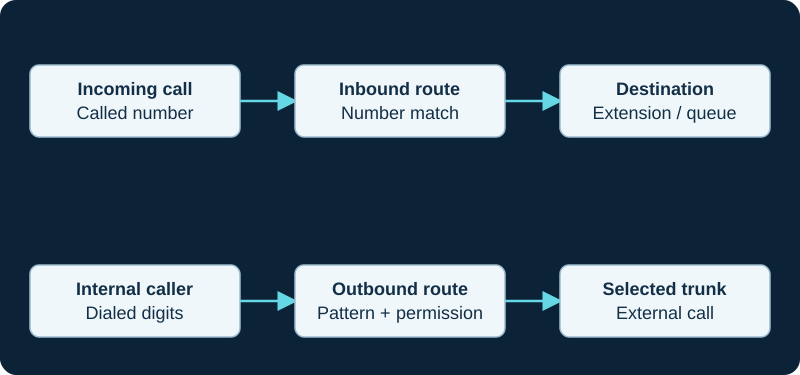
A working outbound call does not prove inbound number routing. Diagnose the direction and the matching rule independently.
Specify the name and destination separately
For each entry, record the displayed or searchable name, the spoken announcement and the actual destination. Decide how similar names and shared surnames should be distinguished. A name recording that sounds clear to an employee may still be ambiguous to a first-time caller.
For a role such as accounts payable, consider a recognizable departmental entry routed to a maintained group. This can survive staff changes more gracefully than a personal entry that silently forwards to an obsolete extension.
Connect the directory to an IVR
Add a concise directory option to the main IVR and tell callers what kind of name input is expected. Keep the greeting synchronized with the actual search behavior and available entries. Verify DTMF from an external call through the production carrier path.
The documented Return to IVR option can override the invalid destination when the caller originated in an IVR. Inspect that interaction carefully: a configured fallback field is not proof the caller will reach it.
Test the unsuccessful search journey
Test a unique name, similar names, an unknown name and a caller who presses the exit option. Continue through the retry limit to hear the final result. Check whether repeated returns to the originating IVR feel like an endless loop.
Provide a staffed or clearly explained fallback for people who do not know an employee’s spelling. Test after hours too. A directory that succeeds only when the operator is present has an unresolved part of its call path.
Maintain privacy and accuracy
Decide whether the system should announce extension numbers. That may help frequent callers, but it also reveals direct-dial information the organization may not want to publish. Use the smallest public directory that satisfies the actual caller task.
Add directory review to onboarding, offboarding and department changes. After editing an entry, call from outside and follow it to the destination; do not stop after confirming that the name appears in the administrator screen. Keep the tested path and fallback in the same runbook as the IVR.
Diagnose one caller from name input to the final destination
When a name is missing, the wrong person is announced or the caller loops, use the focused FreePBX Directory diagnostic. It separates the selected managed Directory, entry name, DTMF match, announcement, dial target, invalid branch and IVR return.
Watch the explanation
Follow a recent call into its information screen, save the number as a contact and edit the local directory entry. The video links two everyday tasks: finding a previous caller and making that person easier to reach next time.
Read applicability and editorial notes →Watch this video here
Plateau VVX450 directory workflow. Menu visibility and permissions can vary with the phone’s provisioning policy. Review used the available transcript and primary references; audio and screen readability remain unverified.

The player loads only when you choose Watch here. Playback uses YouTube’s privacy-enhanced embed; YouTube processes playback data.
Sources & applicability
Primary references for the technical details above. Operational examples and planning checklists are VoIP.info editorial guidance.
- Sangoma: Directory module user guide ↗
- FreePBX Directory release/17.0 metadata ↗
- FreePBX Directory release/17.0 source ↗
- Asterisk 23 Directory application ↗
Examples require adaptation to your topology. No live PBX or hardware testing is claimed.