Inventory the running system
Record the Asterisk version, build options, operating system, loaded modules and service configuration. Identify configuration files, database-backed state, certificates, voicemail, custom prompts and recordings. Paths depend on the installation; do not assume that one copied directory represents the whole PBX.
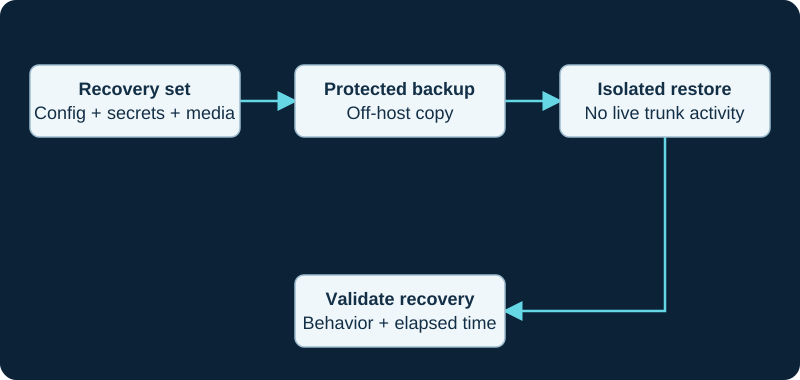
Keep production trunk identities from registering during a restore exercise. Include the dependencies needed to decrypt and use the backup.
Create a consistent recovery set
Choose a backup method that accounts for files changing during capture. Encrypt off-host copies and restrict access to credentials and private keys. Keep recovery instructions and the means to decrypt the backup available independently of the failed PBX.
Restore away from production
Use an isolated network and block outbound calling before restoring a production identity. Confirm file ownership, module availability, database access and certificate paths. Avoid allowing the restored test PBX to register as the live trunk or compete with production endpoints.
Prove the outcome
Test local registration, internal calling, prompts, voicemail and routing in the isolated environment. Schedule controlled external validation separately. Record elapsed recovery time and any manual dependencies. A successful archive command proves that a file was written; a documented restore proves much more. FreePBX installations need the supported FreePBX backup workflow instead of assuming this standalone inventory is sufficient.
Sources & applicability
Primary references for the technical details above. Operational examples and planning checklists are VoIP.info editorial guidance.
Examples require adaptation to your topology. No live PBX or hardware testing is claimed.