Track a supported combination
The PBX engine, operating system, management modules and phone firmware have separate lifecycles. A newer engine release is not automatically supported by an existing FreePBX installation. Keep the exact deployed combination in the operating record.
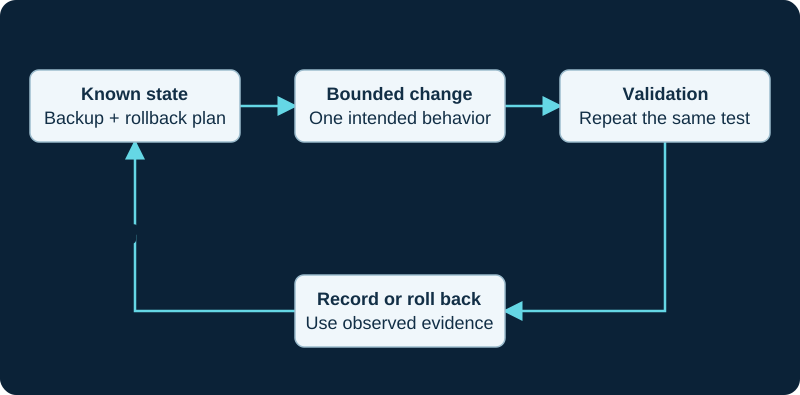
An example operational loop. Follow the supported reload or restart behavior for the affected component.
Read the change scope
Review official release notes and advisories for the affected versions. Identify changed configuration behavior, dependencies and required restart steps. Do not perform a global version-number replacement in a tutorial or deployment script.
Prepare recovery first
Take a verified backup and retain the installation or rollback materials required by the supported upgrade path. Test important call flows on a representative isolated environment where feasible, including trunks, voicemail, recording and custom integrations.
Verify and document
During the planned window, inspect the actual running versions and logs. Repeat a bounded acceptance matrix and watch for delayed failures such as certificate renewal or scheduled backup jobs. Record both successful checks and untested areas so the next administrator knows the limits of the evidence.
Sources & applicability
Primary references for the technical details above. Operational examples and planning checklists are VoIP.info editorial guidance.