Choose a supported access pattern
Decide whether remote staff use a managed softphone, a desk phone or a supported remote-access path to a self-hosted PBX. Document who owns the device, account and home-network troubleshooting. A user should know where to report a failed call without diagnosing NAT alone.
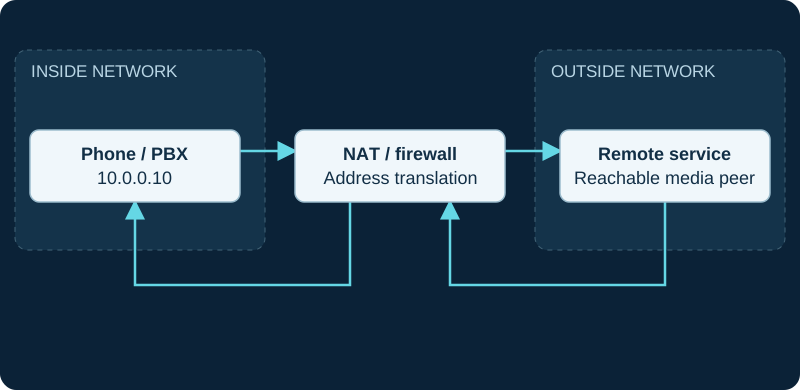
10.0.0.10 is an illustrative private address. Both directions traverse the NAT/firewall; signaling success does not validate SDP media reachability.
Test an ordinary workday
Validate incoming and outgoing calls, headset switching, hold, transfer and reconnection after sleep or a network change. Test during typical household traffic. A single successful registration on an empty network is a weak acceptance test.
Define security and location ownership
Use individual credentials and a supported update process. Restrict administration to the intended management path. Coordinate emergency-location updates with the provider when the user moves; do not assume the office location follows a remote device correctly.
Provide practical fallback
Document a second approved calling method and how the business number is handled during an outage. Avoid making personal mobile numbers the undocumented default. Include offboarding: revoke the account, release managed devices and remove forwarding rules. Link the operational plan to remote-extension troubleshooting so support staff can collect consistent evidence when a problem recurs.
Sources & applicability
Primary references for the technical details above. Operational examples and planning checklists are VoIP.info editorial guidance.