Name the forwarding mechanism
Unconditional forwarding, busy or unavailable forwarding, Follow Me and a ring-group external member are distinct call paths. Identify which one the user enabled before diagnosing unexpected ringing. More than one mechanism can be active at the same time.
For an employee who answers at a desk first and then on a mobile, Follow Me provides a deliberate sequence. Document which mailbox should answer if nobody accepts the call. The mobile carrier’s voicemail can otherwise capture it first.
Configure one test destination
Set the initial ring interval, follow-me list, strategy and no-answer destination through the supported controls for the installed module. The documented external-number syntax uses a trailing # in the relevant list; do not copy that suffix into unrelated dial fields.
Validate outbound permissions and trunk capacity for the added leg. Forwarding an incoming call externally may consume additional channels and incur another charge. Do not assume the displayed incoming caller ID is authorized for outbound presentation.
Test human answer and voicemail
Call from outside, answer at the desk, then repeat and answer on the mobile. Let both go unanswered and confirm the intended mailbox. Test any call-confirmation prompt using real DTMF through the carrier path.
If the mobile rings but the caller never connects, distinguish confirmation failure from one-way RTP. If only the caller ID is wrong, inspect the forwarded leg and the carrier’s identity rules before changing NAT.
Avoid loops and stale destinations
Remove obsolete forwarding numbers when staff leave and inspect carrier-side forwarding too. Two systems forwarding back to each other can create repeated billable legs. Keep a simple direct-to-mailbox fallback and explain how the user resets the feature.
Diagnose the external leg as an outbound call
When an external Follow Me destination does not ring, use the focused Follow Me investigation. It preserves the external marker, generated branch, outbound-route digits, trunk response, caller-ID authorization, timers, confirmation and no-answer destination as separate evidence.
Use the dedicated Follow Me acceptance model
The Follow Me guide calculates initial and list timing, keeps external entries on their outbound route and treats mobile answer, confirmation and the caller bridge as separate states. Use it when the extension requires a sequence rather than a single forwarding rule.
Watch the explanation
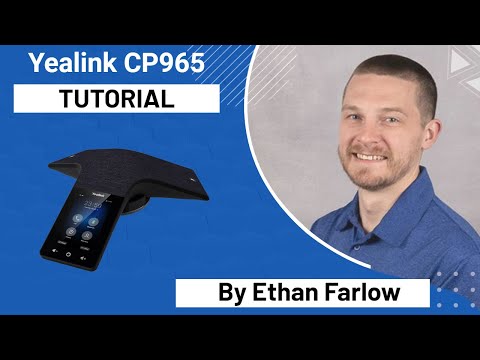
A practical operator introduction to hold, shared parking, transfer, conference controls and DND on the CP965. It helps explain why an apparently working phone may not ring.
Read applicability and editorial notes →Watch this video here
Yealink CP965 on ComTech’s service in 2022. The service configuration is part of what is demonstrated. Review used the available transcript and primary references; audio and screen readability remain unverified.
The player loads only when you choose Watch here. Playback uses YouTube’s privacy-enhanced embed; YouTube processes playback data.
Covers the T54W controls and everyday calling tasks, including attended versus blind transfer, conference management, Wi-Fi and Bluetooth. Useful for onboarding phone users.
Read applicability and editorial notes →Watch this video here
T54W demonstration on UD Voice in 2022. The video title and narration identify T54W; its description contains copied references to other models. Review used the available transcript and primary references; audio and screen readability remain unverified.

The player loads only when you choose Watch here. Playback uses YouTube’s privacy-enhanced embed; YouTube processes playback data.
Sources & applicability
Primary references for the technical details above. Operational examples and planning checklists are VoIP.info editorial guidance.
- Sangoma: Follow Me user guide ↗
- Sangoma: Feature Codes ↗
- Sangoma FreePBX UCP Find Me/Follow Me ↗
- Sangoma FreePBX extension Find Me/Follow Me fields ↗
- Sangoma FreePBX outbound routes ↗
- Sangoma FreePBX Follow Me module overview ↗
- Sangoma FreePBX outbound routes ↗
- Sangoma FreePBX Extension Routing ↗
Examples require adaptation to your topology. No live PBX or hardware testing is claimed.