Read the complete address configuration
A phone needs an address, network prefix and a route to destinations outside its local subnet. DNS and time services may also be required for the calling platform. An address on the screen proves only that a value is configured; it does not prove reachability.
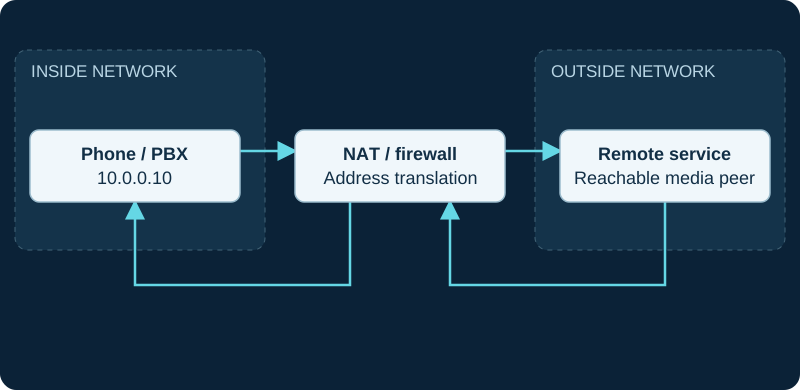
10.0.0.10 is an illustrative private address. Both directions traverse the NAT/firewall; signaling success does not validate SDP media reachability.
Distinguish local from public scope
RFC 1918 reserves 10/8, 172.16/12 and 192.168/16 for private IPv4 networks. Reusing those ranges across organizations is normal, but overlapping subnets can complicate a VPN between them. Plan the address space across sites before connecting networks.
Follow a failed registration
Compare a failing phone with a working phone on the same intended voice network. Check VLAN assignment, DHCP lease, prefix and gateway. If the phone cannot reach its gateway, changing its SIP password will not repair the local network path.
If only names fail, move to DNS diagnostics. If signaling works but audio fails, inspect the addresses advertised in SDP separately.
Keep assignments maintainable
Use documented reservations or a managed static allocation for infrastructure. Avoid an arbitrary static address inside an uncontrolled DHCP pool. Record the PBX interfaces and which networks they serve. Address changes should trigger a review of firewall rules, DNS, provider IP allowlists and NAT configuration.
Sources & applicability
Primary references for the technical details above. Operational examples and planning checklists are VoIP.info editorial guidance.